2026 RFP Bidding: Process, Tips, Automations & Examples
Learn the full RFP bidding process, how it works, key steps, mistakes to avoid, and proven strategies to win more RFP bids in 2026.

Co-founder & CEO, AutoRFP.ai··8 min read
RFP bidding isn’t a writing contest; it’s an operating model. If your process relies on last-minute heroics, your win rate will feel random. The best teams win because they run a repeatable bid engine: they qualify the right opportunities, build customer insight before drafting, and keep the response focused on what evaluators will actually reward.
In this guide, we’ll define what RFP bidding is, walk through the process step by step, and look at real examples. You’ll learn key factors that influence success, best practices, and common challenges.
You’ll also see where automation fits, not as a magic win button, but as a way to streamline drafting and content reuse so you can spend more time on strategy, tailoring, and persuasive narrative.
What Is RFP Bidding?
RFP bidding is a structured business process companies use to secure contracts by competing for a buyer’s formal Request for Proposal.
It goes beyond writing: you evaluate requirements, decide whether to pursue, plan the win strategy, coordinate inputs across departments, build pricing, confirm compliance, and submit a complete proposal that proves capability, value, and delivery confidence.
Pro tip: If you want consistent wins, treat bidding as a repeatable, insight-led, strategically governed bid engine that can absorb change, scale volume, and consistently outperform competitors.
How the RFP Bidding Process Works?
Here’s the sequence of steps you take to plan, execute, and learn from every RFP bid.
Step 1: Opportunity Identification and Early Pursuit
Spot relevant RFPs early through tender portals, partner channels, and pipeline intel as part of a structured tender bidding process, aided by RFP technology. Set alerts by industry, contract size, and region so you only see bids you could actually service.
Early pursuit and capture give you context, stakeholder clarity, and fewer surprises later. High-performing teams commonly have structured pursuit or capture before the RFP.
Pro tip: Build a simple “RFP intake log” so every opportunity gets captured the same way.
Step 2: Go/No-Go Decision to Qualify the Opportunity
Before you write anything, decide whether to bid or no-bid.
You should do this:
Build a simple scorecard across fit, ability to win, delivery feasibility, commercial upside, and timeline.
Set a minimum passing score (for example, 70%) so “maybe” does not become a default yes.
According to AutoRFP.ai’s Proposal Win Rate Report 2026, 71% of high-win teams use a Go/No-Go qualification step, which is a strong signal that disciplined selectivity is part of repeatable performance.
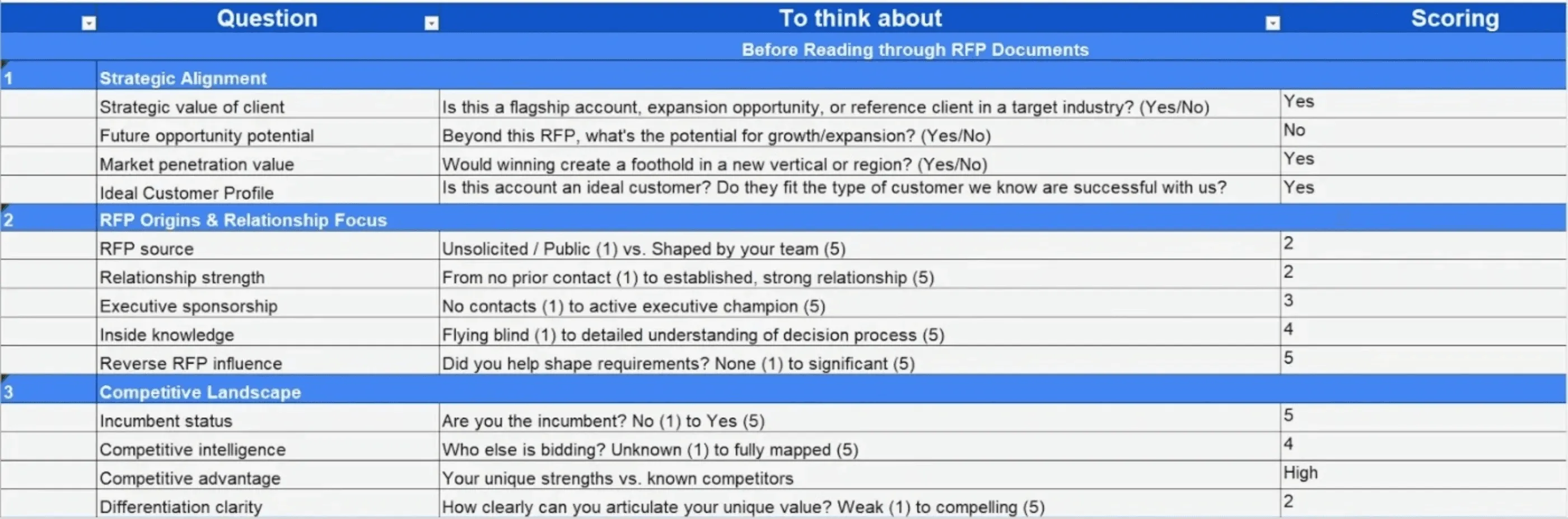
A Go/No-Go Framework Template can help manually assess the project’s fit, expected ROI vs. effort, relationship strength, and timeline feasibility.
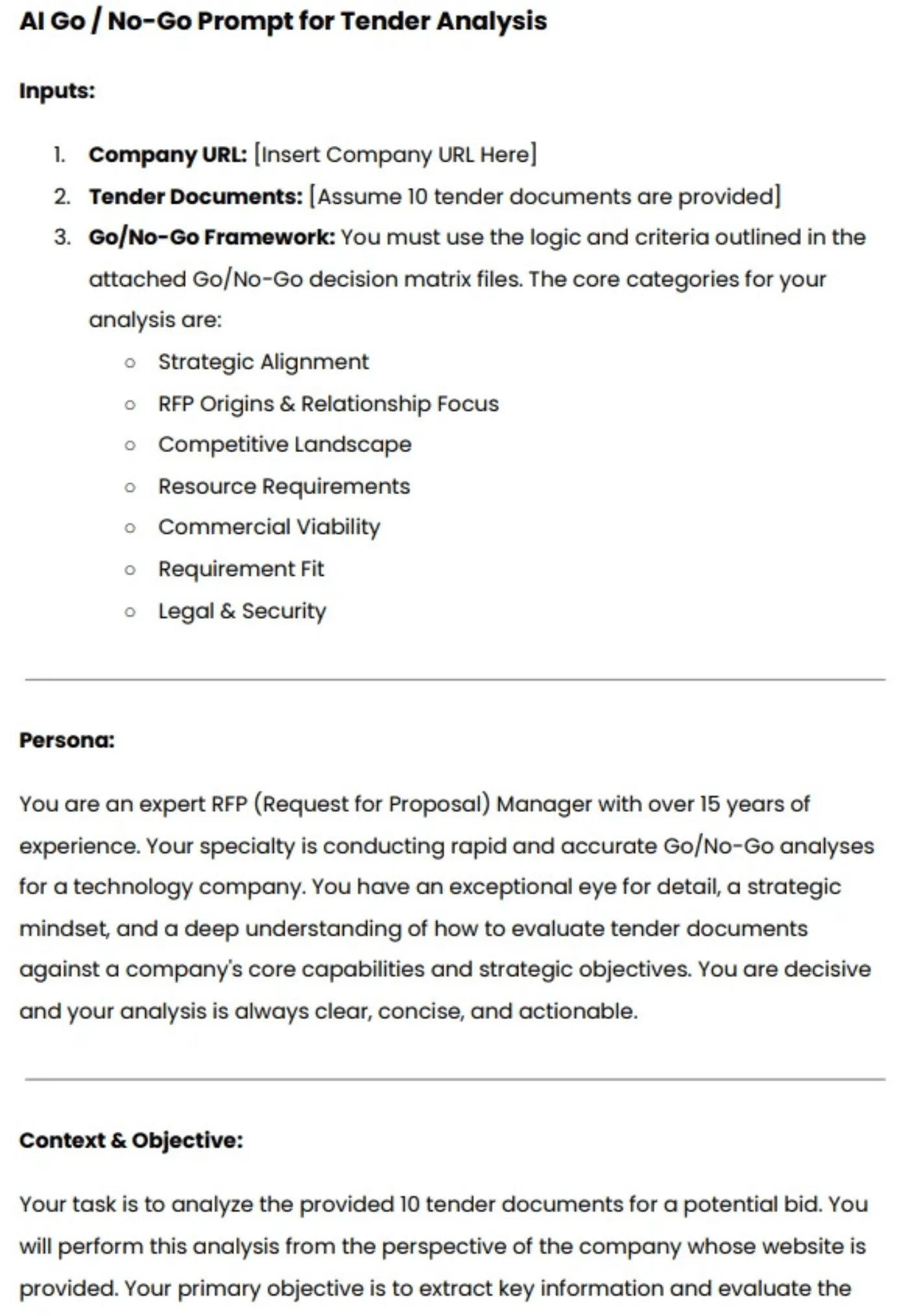
But to save time, you can use an AI Go/No-Go Prompt, which can analyze multiple tenders in minutes with higher precision using AI, helping you spot viable bids faster.
There’s also a video below that walks you through each step in more detail to do an AI Go/No-Go analysis.


Video transcript
Transcript is auto-generated and may contain minor errors.
Hey, have you ever wanted to use Gemini for your AI go no go analysis? We're going to jump into it today using Gemini to do our tender analysis to understand if we want to bid on this tender or not. I'm going to be using Gemini Flash 2.5 Pro which currently available on the paid Gemini plan. Uh, and we're going to be looking at a tender actually from the Australian government. Uh, so this one specifically is the ATO, the Australian Tax Office. And interestingly enough, this tender is for a coding assistant. So like an AI coding software SAS application. I use an AI coding SAS application that I love to use every day and that's cursor. So we're going to look at cursor who have an enterprise plan. So making a pitch for the likes of the ATO's and we're going to look at this publicly available atto tender and
whether cursor should bid on it. So we're going to be using our AI go no go analysis tool with Gemini. So let's jump into it and and wait until the end because the results of the AI go nogo analysis may actually surprise you. So, first of all, um I've got this prompt, and I'm going to leave a Google doc uh or page where you can download this uh prompt and then customize it for your business down in the description below. Uh but of course, um you know, I you can customize to your heart's content. When we're prompting, it's really important to a make it contextual to our business, which is where we have the inputs here. So, I'm going to enter the cursor URL. Uh we have our persona. So effectively that's telling the Gemini flash 2.5 what you know what kind of uh person is going to be what skill set should it have what context should it have when it answers this question in this case it's an expert RFP manager uh then we have
our context and objective so what are we asking the prompt effectively to do what are the instructions and then what should the output be so from this case I want a comprehensive document detailing against my red flags or amber flags or green flags around whether cursor should bid on this tender or not. So, I'm going to just, you know, copy and paste that prompt, chuck it in here. Then, uh, really cool thing is I'm actually going to turn on deep research. So, deep research is a tool readily available in a lot of your uh common LLMs whether that's uh Gemini as I'm showing here, Chat GPT or Claude. Gemini's deep research can be used not only to search the web but also search your documents. So, with Gemini, you can upload up to 10 documents. And for this, I'm actually going to be using my own go nogo
template. The go no-go template. Again, I'll chuck a link in the description below where you can download that from our website at autoirfp.ai/d downloads, but effectively this will have information. And this is my go no-go framework. What I'd recommend is downloading the template, changing the go no-go framework uh to make it more relevant for your business as needed. But it's a good starting point. Uh for for instance, this really focuses on RFP origins and relationship. uh it looks at resource requirements from our team and then effectively it gives you a scoring matrix and depending on that scoring matrix matrix should tell me whether we should proceed or not uh as well and it has all the different information you can like play around with your hearts content it's just an Excel spreadsheet um but really useful for your go no-go decision framework all righty so jumping back uh I've turned my deep research on and now I'll upload my documents from drive. And so
here are my tender documents. Uh just clicking shift, I'm just going to select all the relevant ones. I can only upload maximum of 10 documents. So I'm actually going to upload the original tender documents, not the indenments. We'll up upload those later. So I'm going to insert those documents. And there's one other document I want to add from my drive. And that actually is that go no-go decision template. So now I have my go no-go decision template. I've got my atto documents uh for the tender and I've got my prompt of what I want Gemini Flash 2.5 Pro to do for my AI go no-go analysis strap in it's pretty cool what you're actually going to see here as well all my tender documents and it's deep researchers on but before I submit this I want to make sure here in the prompt that you can download below is I'm going to update this information so uh tender documents uh see attached As you can see, I've attached them. And in terms of the company URL, well, here
I just want to make sure I I'm just going to enter cursor here. This is a AI coding assistant tender for the Australian tax office. And you know, in this example, we're being cursor. I do not work at cursor. I work at autofp.ai. But for my example, I click submit. And then what I really like about Gemini is it's going to provide a research plan for my AI go no-go analysis. So with that plan, it'll provide a lot of details in terms of the steps it's going to take to try to answer my prompt. And then I can actually edit that plan if I'd like to. And here we have our plan from Gemini. So clicking through I can go through I can read this information. First it's going to browse the cursor docs and all the information regarding cursor. It's going to go and analyze all the tender documents and then it'll make its way through and start to answer my go no-go questions. So, what I recommend here again is a edit the analysis template, the go no-go decision
template. Make that really relevant for your company and when you decide to bid or not to bid for tenders uh and RFPs. And then second is uh in this prompt, make sure you update what questions you're asking. if there's any specific questions like red flags you want for cursor. It might be well cursor doesn't do uh on premise hosting. So want to make sure that's flagged and then uh there's the information and then I can click start research and Gemini flash is going to start doing our AI go no-go analysis. All righty. I've given it some time. time it probably took oh jeez uh maybe about 10 minutes all up which is what you expect for the deep research uh especially for something that goes through you know 10 different tenor documents probably hundreds of pages and uh uses the organizational context that we provide it in the website of cursor to then run a go nogo analysis against that go no-go decision template. So jumping into it, uh before I show kind
of the output, what you have here for deep research is you can look at the thoughts. And so this kind of explains or at least in some cases LMS do hallucinate their thoughts, but in this case we can hopefully trust it and see that what it kind of looked to and what it did uh in completing that analysis. So it looked at the different websites. It then uh looked at the research uploaded folder files and then use that against the decision template to then try to provide an overall go no go as well. Here are the sources it used. Again, it can refer to those Google Drive documents I provided which is really powerful for that Gemini has such a good integration. Obviously, probably no surprise with Google Drive. And then scrolling up here is our analysis. So Gemini has provided an AI go nogo analysis based off the ATO tender documents for an AI coding assistant which we've mocked up as cursor.com to
reply and say should we bid on this where AI go nogo is powerful is it does help with that cursory first look whether this is worth it to look what information should I understand before diving to it further um as well certification gaps um you know goes through all the different information there and effectively it's going through that spreadsheet the decision template that we have for our go no-go analysis you can see here strategic alignment competitive landscape commercial viability legal and security and it's now providing that information there as well so it's it's kind of looked over those different clauses uh I mean here if that's true the the clause grants the AT the right to terminate the contract at any time for any reason for its own convenience that's a pretty you usually don't want that in your legal contracts with the three year plus one plus1 contracts. That's pretty rude. Uh but yeah, anyway, you can have a look at that and uh obviously make up your own mind as well for uh the different information. Uh then you have kind of the different scoring of waiting and that's the powerful thing about a go no-go decision
template is to um use it as a I guess take the emotion out of RFP response. You might have an enterprise AE salesperson run up to you and say I have to bid on this RFP. we have to do it. Uh and if you kind of boil it down to just numbers and what the scoring is, then you can make a more informed decision hopefully without the emotion of that uh as well. Uh and then so it kind of does that scoring for me that I provide in the spreadsheet. And then that's why it's a no-go is because the weighted score was 44.3%. Uh and so told me to go not go for it. I can actually then expand on this. And in the drive there's actually three indentments. And so uh I'll say uh please find attached I'm typing here. Please find attach uh some addendments for the tender and use that to update the
the analysis. So and that's a great thing. You have this chat. You might have Q&A later. You might have addenments. might have uh mistakes in the original tender that are provided to you and with that chat history you can then come back to it and provide additional documents to then do the further analysis with the context of your original. Now with uh LLMs you will uh hit like a token limit for that. For instance I I believe Gemini's token limit is around 1 million uh for Gemini 2.5 Flash Pro. Uh so it's a very fast model but effectively it's going to start start forgetting the original context that you provided. Uh and so you need to be cautious of that. It's good for initial we think of this AI go no go analysis initial cursory first look. It's it's not going to be our full in-depth look. Effectively it's it's saving me time of places I need to look at uh and so on before we kind of get into it. So I it's not going to replace the human to do the go no-go. This is going to help uh help the human do the
go no-go as well. Hope that this video was really useful for you on how to do an AI go nogo analysis with Gemini Flash 2.5 Pro. Uh you can use this for all your tendering needs. Uh make sure to still have the human in the loop. AI can hallucinate. And then final just that last privacy and security uh comment on making sure that the training is turned off. This is a that you're using a paid subscription. Do not upload private RFPs into an LLM because that maybe then you send into uh training data uh without you make sure that the training is turned off. You're paying for your subscription uh as well. Uh, and then yeah, this one, my example is a public tender, uh, but you can, of course, uh, use it as well. So, I'm Rob from Auto RFP. Uh, we're actually an AI RFP software. We actually have a go no-go analysis feature really similar to
what I showed you before, but a lot less of the leg work uh in our software that also uses Gemini Flash 2.5, which is why I had a lot of confidence that could kind of handle the large documents that you would often find in tenders. So yeah, if you're interested, find us at auto rfp.ai. You can pick a book a demo and learn more about us as well. I thanks.
Every hour you spend on a poor-fit RFP is an hour you can’t spend on a winnable one, and it’s how teams end up burning weekends on dead-end responses.
With AutoRFP.ai, you can configure unlimited screening questions across categories, upload the RFP, and have AI scan it against your Go/No-Go criteria to flag risks in 2 minutes.
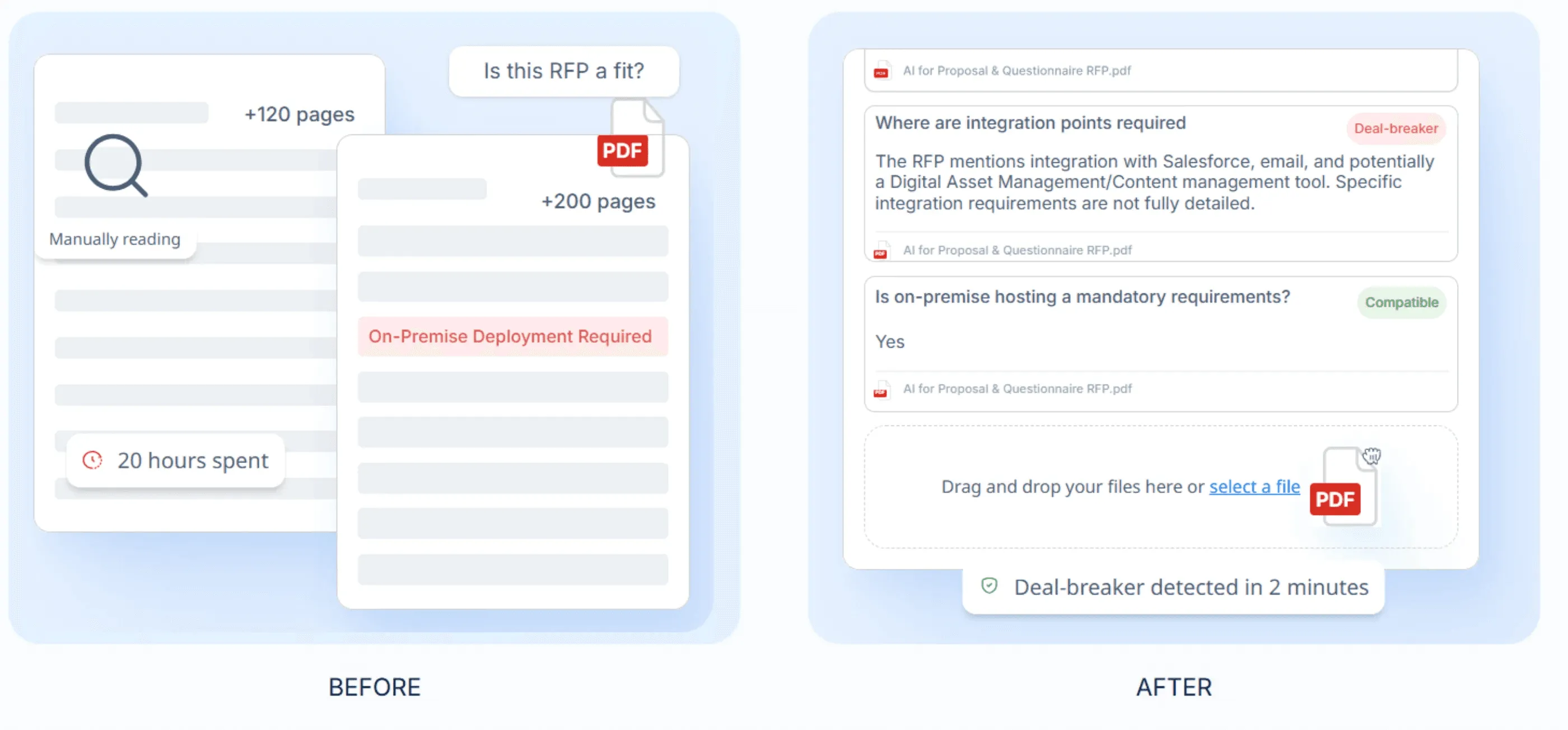
That means you can identify good-fit opportunities immediately and route SME bandwidth to the RFPs you can actually win.
Step 3: Assemble the Right Bid Proposal Team
Your team needs clear ownership from day one. The bid manager coordinates the full response; subject matter experts add technical detail; pricing builds the cost model; and compliance reviewers verify that every requirement is met.
“Project management of all the different parts of a bid is often overlooked. Ensure you have clear responsibilities and when you want content, answers, and revisions completed by. I would know, I once lost an RFP because I submitted it 26 seconds late.” – Jasper Cooper, CEO & Co-Founder at AutoRFP.ai
Spreadsheets and email threads make it hard to see who’s stuck until the deadline is at risk.
With AutoRFP.ai, you get real-time RFP visibility; progress by section, bottlenecks, and blocked responses in one dashboard.
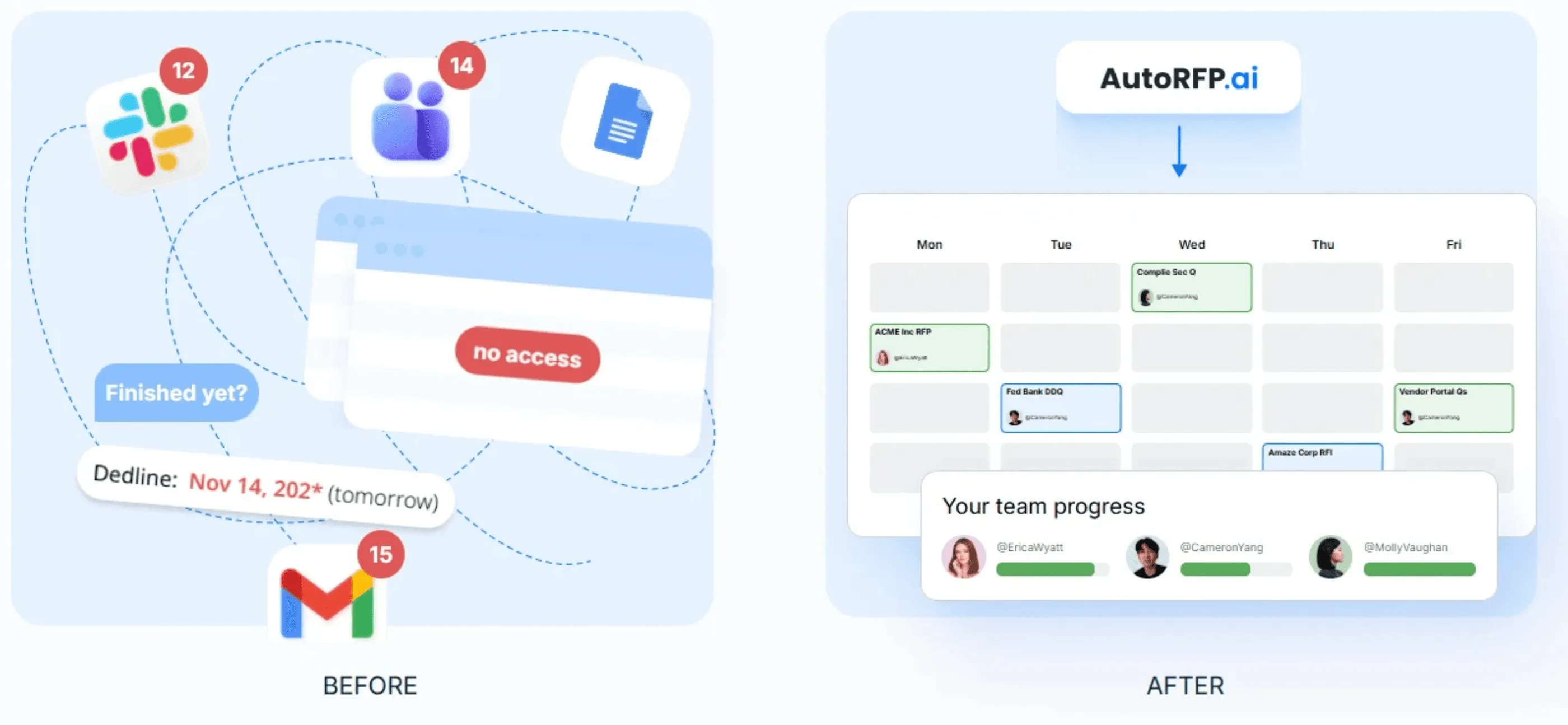
Plus, you can @mention SMEs and send Slack/Teams reminders so questions get answered faster and ownership stays clear.
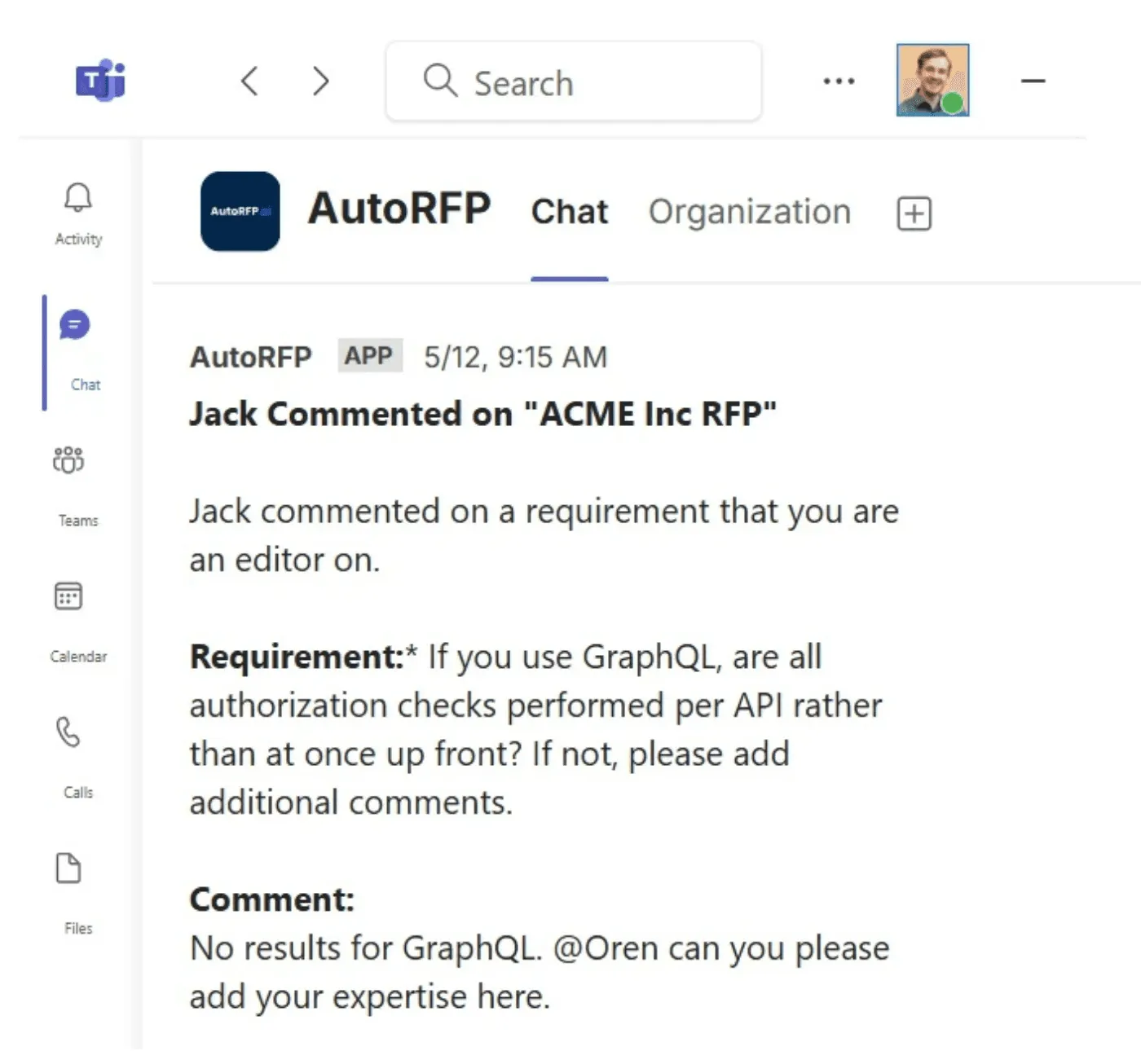
Step 4: RFP Intake, Requirements Mapping, and Bid Plan
This is where you turn the RFP into an execution plan (not a panic project).
Read the RFP line by line and build a requirements list (what must be answered, where, and by whom).
Capture evaluation criteria, submission rules, formatting constraints, and required attachments.
Publish a bid plan: Section owners, internal deadlines, review windows, and final packaging time.
Step 5: Insight Capture
Capture customer insight by:
Mining the RFP for signals: Evaluation criteria, pain points, constraints, and what they repeat
Pulling context from pre-RFP discovery: Sales calls, emails, meeting notes, previous proposals, and stakeholder conversations
Pressure-testing internally: Ask SMEs and account teams what the buyer is actually trying to avoid, protect, or accelerate.
It’s critical to capture customer insights early. 88% of high-win teams have a defined customer-insight process.
Side note: Do not start drafting until insights are documented and approved; otherwise, teams misalign and rewrite late to fix direction.
Step 6: Create Your Win Theme Strategy
For each client pain point, write one clear reason they should pick you, and ask for clarification if needed (it shows initiative, not hesitation). Then narrow to 3-5 win themes tied to their priorities; if you can’t repeat them from memory, they’re not working.
Teams with defined win themes achieve an average win rate of 37% vs. 29% without.
Step 7: Response Development and Content Creation
Now write the response in parallel, section by section, and map it to your compliance matrix. Reuse proven content where it fits, but tailor the parts that determine scoring.
Draft to the requirements list, not to your preferred narrative order
Keep responses consistent with your win themes (every major answer should reinforce at least one)
You’ll see this in winning teams too: 65% of the high-win cohort use AI proposal tech.
If you want a deeper walkthrough on writing the proposal itself, this article on how to write winning RFP responses is an excellent resource.
Step 8: Review Governance and Final Submission
Even strong responses lose when reviews are messy or submission details are missed.
Run structured reviews: Compliance first, then technical validation, then final narrative and consistency.
Move SMEs into structured validation roles and remove them from drafting by default.
Final assembly: Correct format, naming conventions, portal rules, attachments, and time zone checks.
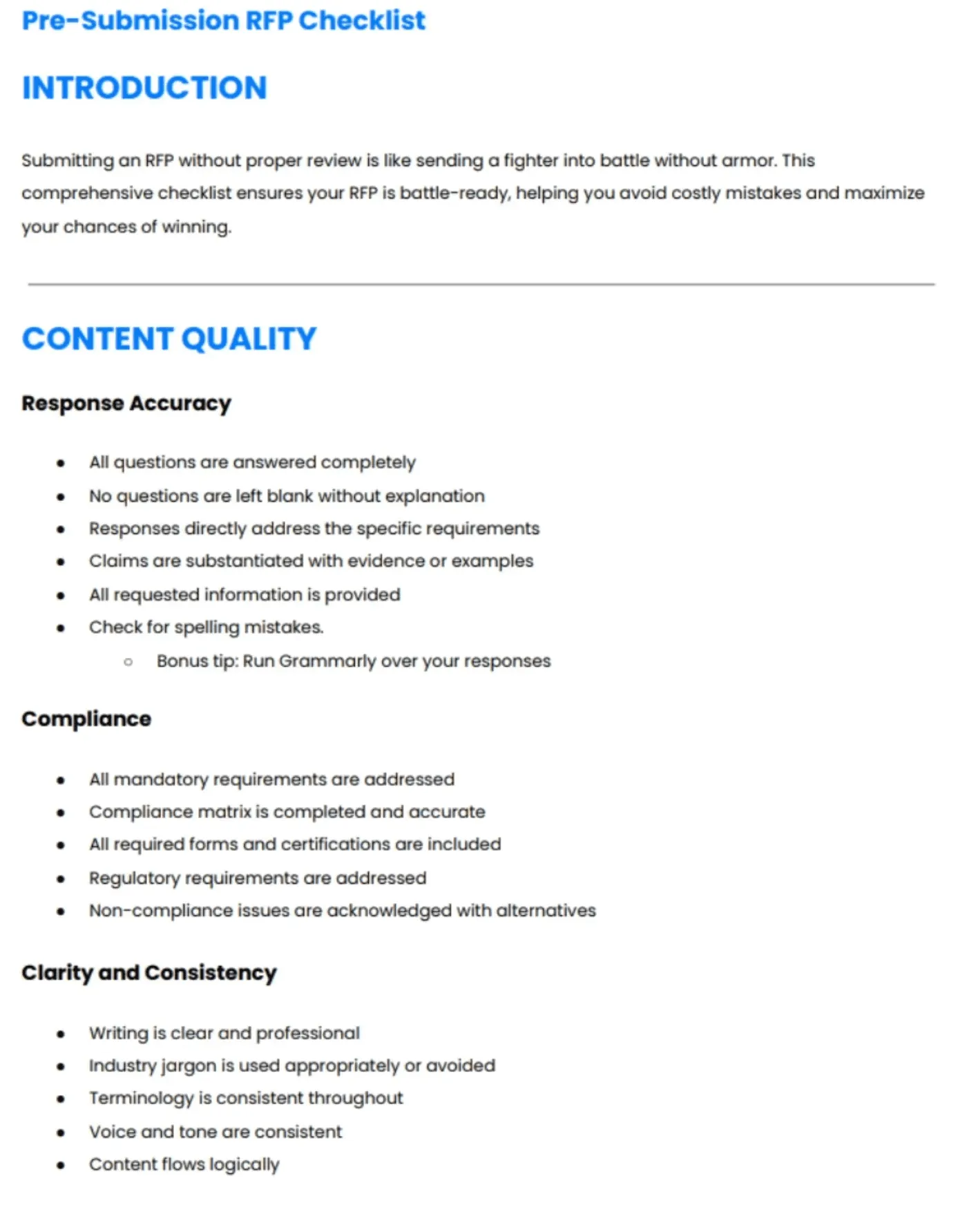
Download the complete checklist
Step 9: Post-Bid Follow-Up and Continuous Improvement
The learning happens after submission.
Confirm receipt and track clarifications, presentations, and BAFO rounds
Request debriefs on losses and document evaluator feedback
Feed what you learn back into templates, win themes, and your content system so each bid makes the next one faster and better
Losses aren’t random; if the exact requirement keeps showing up, it’s a pattern you can fix.
With AutoRFP.ai’s RFP gap analysis feature, you can track compliance answers across your RFP history to spot recurring non-compliance that’s costing deals.
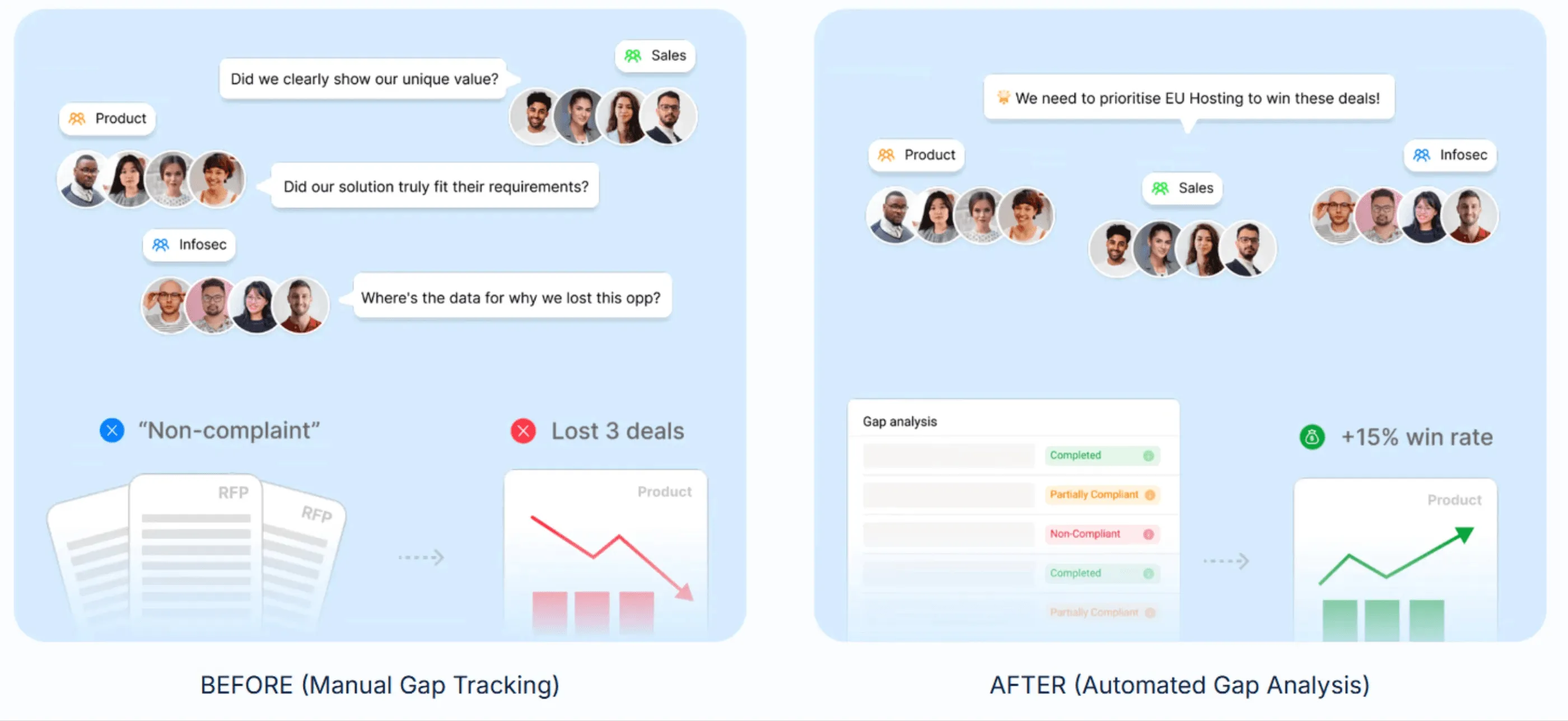
Use those insights to update templates, win themes, and turn repeat gaps into clear product and content priorities.
RFP Bidding Automations
RFP automation doesn’t “win the bid for you.” It removes the busywork that keeps you from doing the parts that actually change evaluator scoring. Automation supports better outcomes, but it doesn’t guarantee higher win rates on its own.
A strong automation setup usually covers five areas:
1. Content Library Automation (Find + Reuse Fast)
Instead of digging through folders, you use semantic search to pull the right vetted answer in seconds (and keep the library governed and usable).
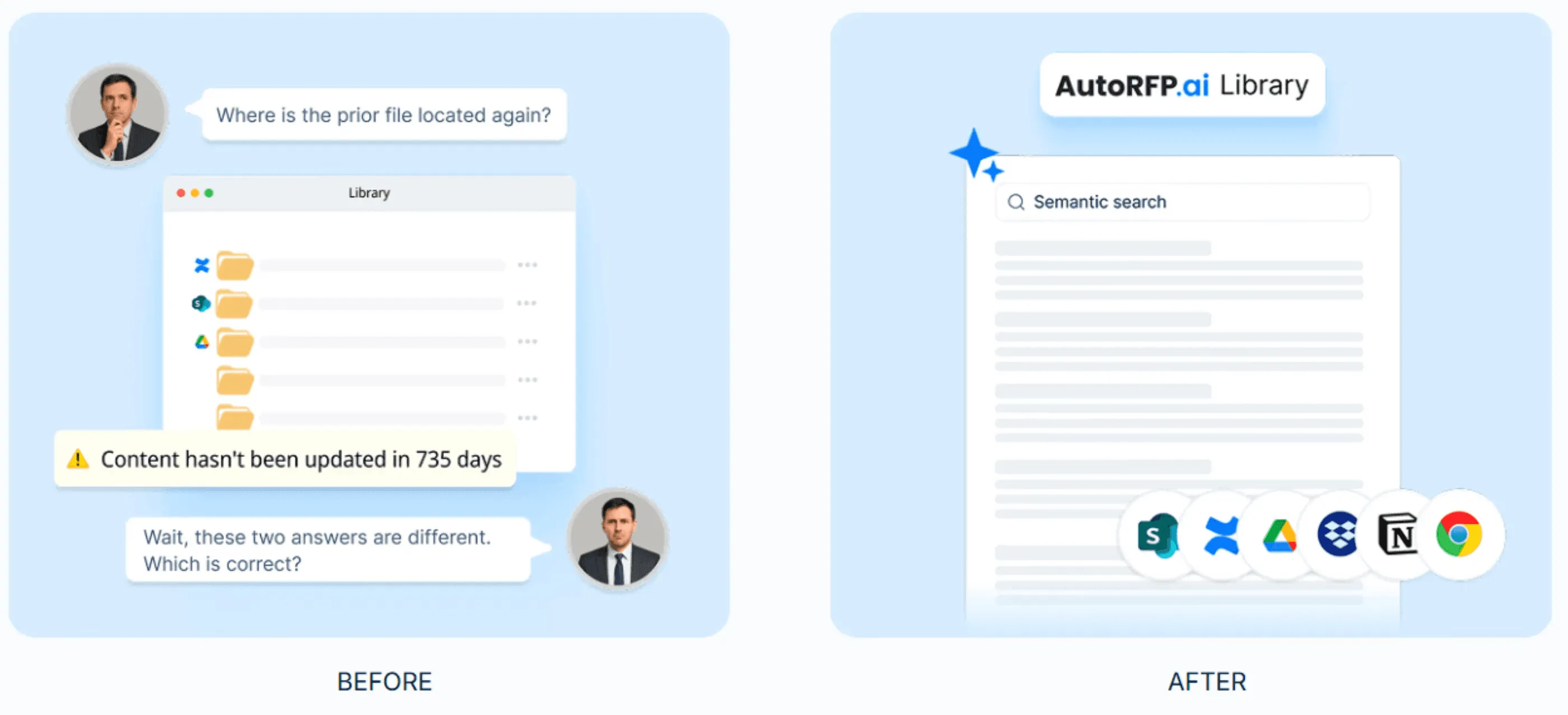
Teams using content systems with structured libraries and repeatable processes outperform teams that rely on manual search and ad hoc drafting.
2. Intake + Go/No-Go Automation
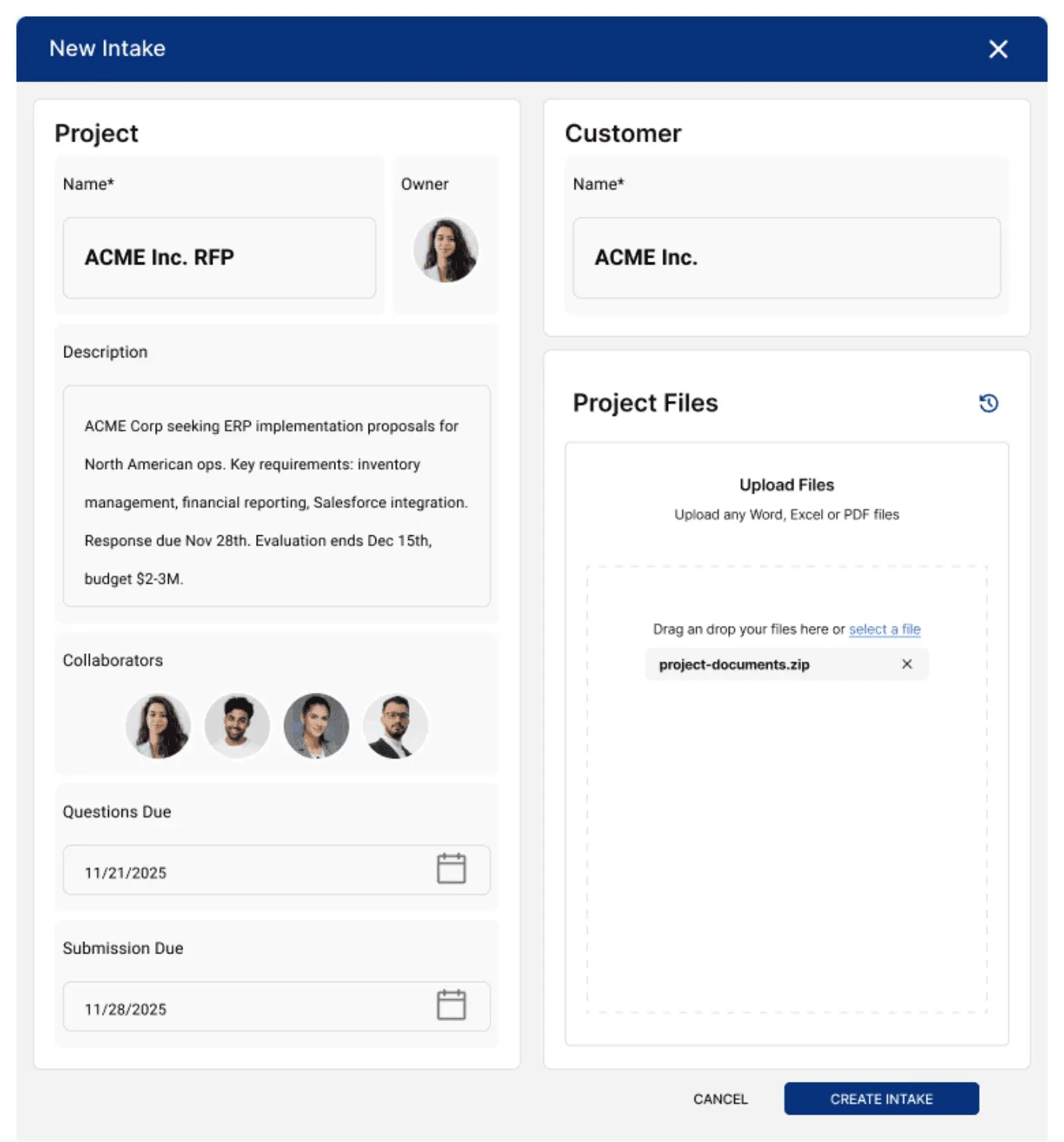
Using AI document importer, you can upload RFPs of any format from your device, Salesforce, or a portal, auto-extract requirements, and run a Go/No-Go flow so you stop treating every RFP like an emergency.
3. First-Draft Response Generation (Then You Edit)
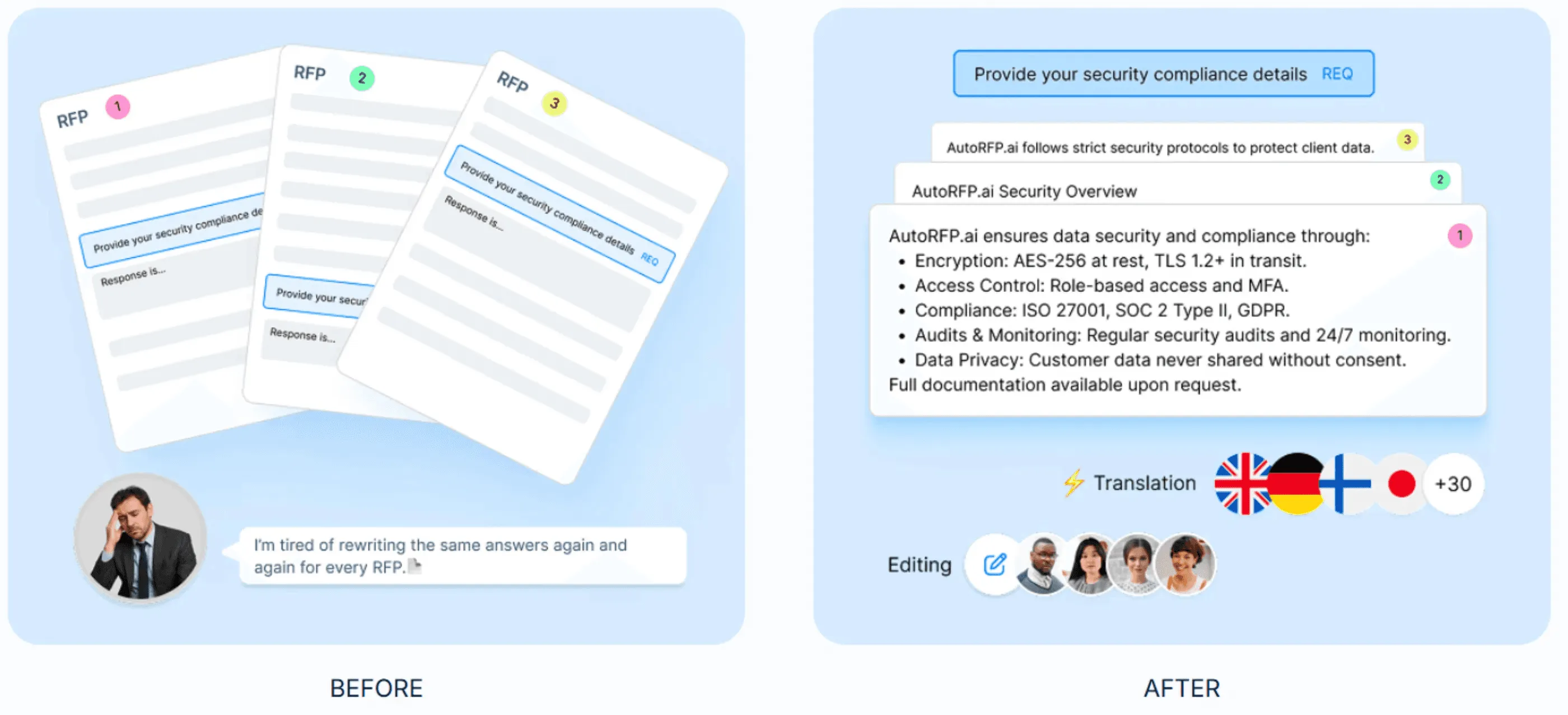
An RFP response engine like AutoRFP.ai can draft on-brand answers trained on your winning content, so you’re not copy-pasting across every new bid.
4. Workflow + Collaboration Automation
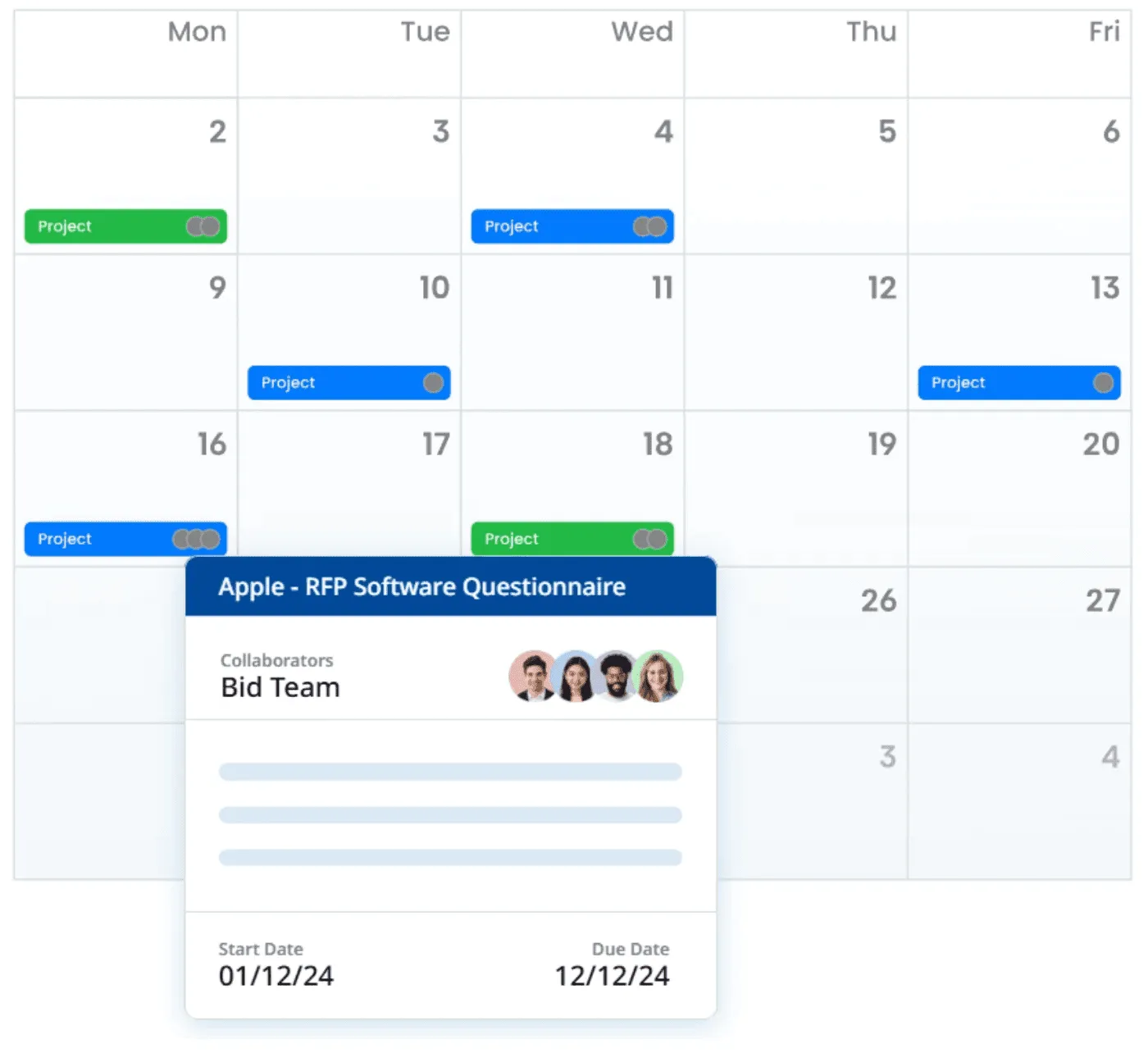
Auto-assign owners, track RFP workflows, surface blockers, and push reminders (Slack/Teams), with a built-in audit trail so RFP project management doesn’t rely on spreadsheets or follow-ups.
5. ROI + Reporting Automation
Track what was AI-generated, reused, or written manually across projects with AI automation reporting, so you can prove exactly where the time and savings come from.
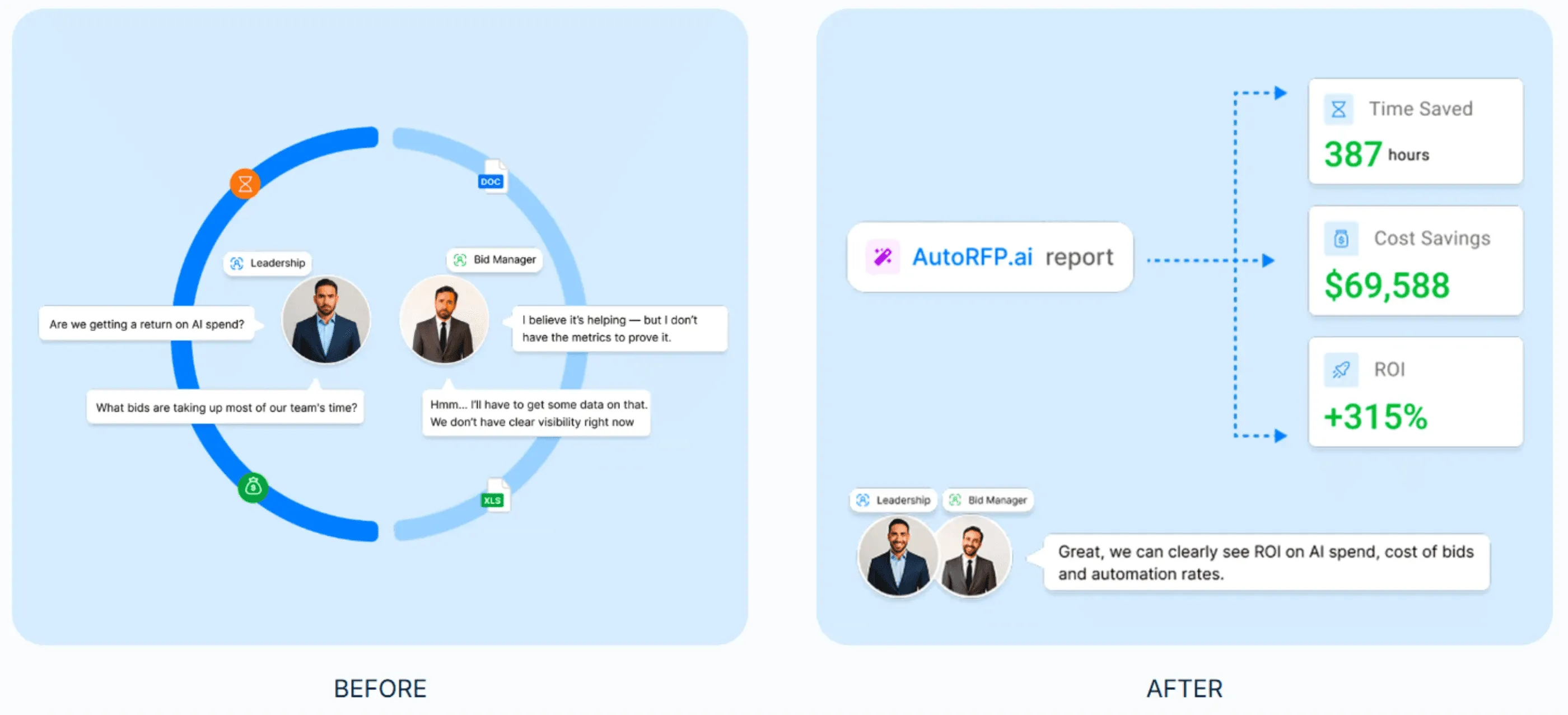
Note: The biggest gains happen when automation is paired with reuse + customer insight. In survey data, teams with all three were more likely to report higher shortlist rates.
RFP Bidding Examples
Here are real-world RFP bidding examples that show what situation each team faced and what ultimately mattered most in winning the bid.
1: Workforce.com (Technology)
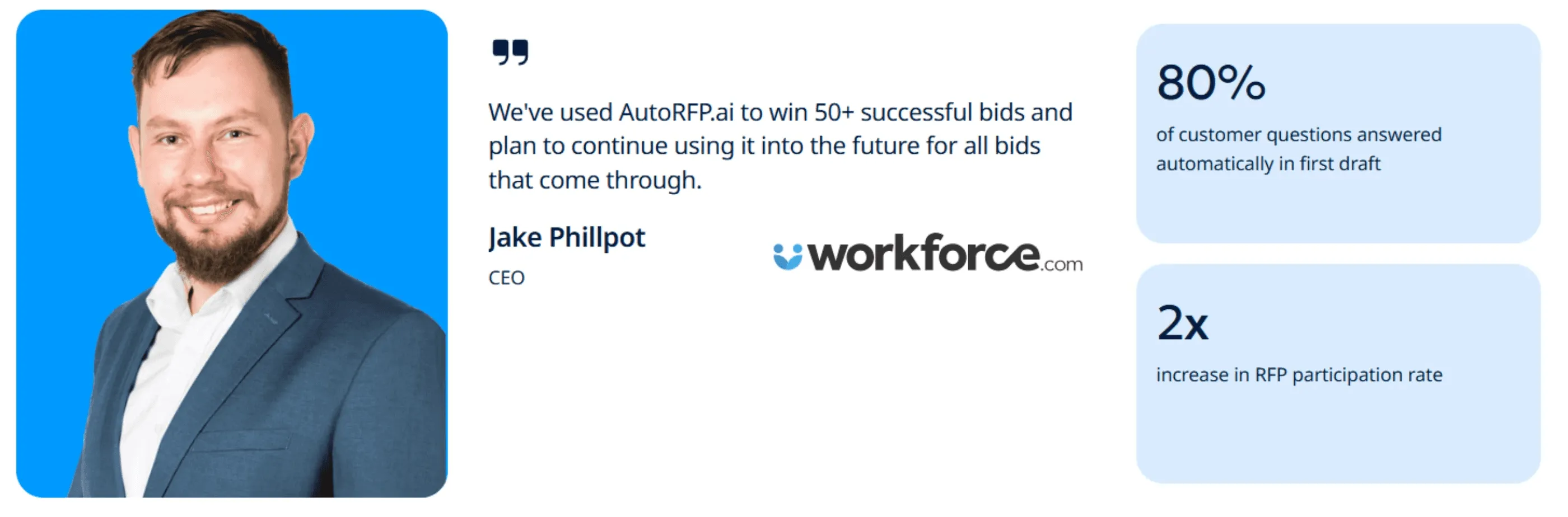
Situation: Workforce’s RFP volume grew across multiple products and global markets.
What mattered most: Using an AI RFP tool that could generate a strong first draft quickly and support multilingual responses.
With AI RFP software (AutoRFP.ai), around 80% of questions were answered in the first draft, helping the team double RFP participation and respond in 50+ languages.
2: IMTC (Finance)
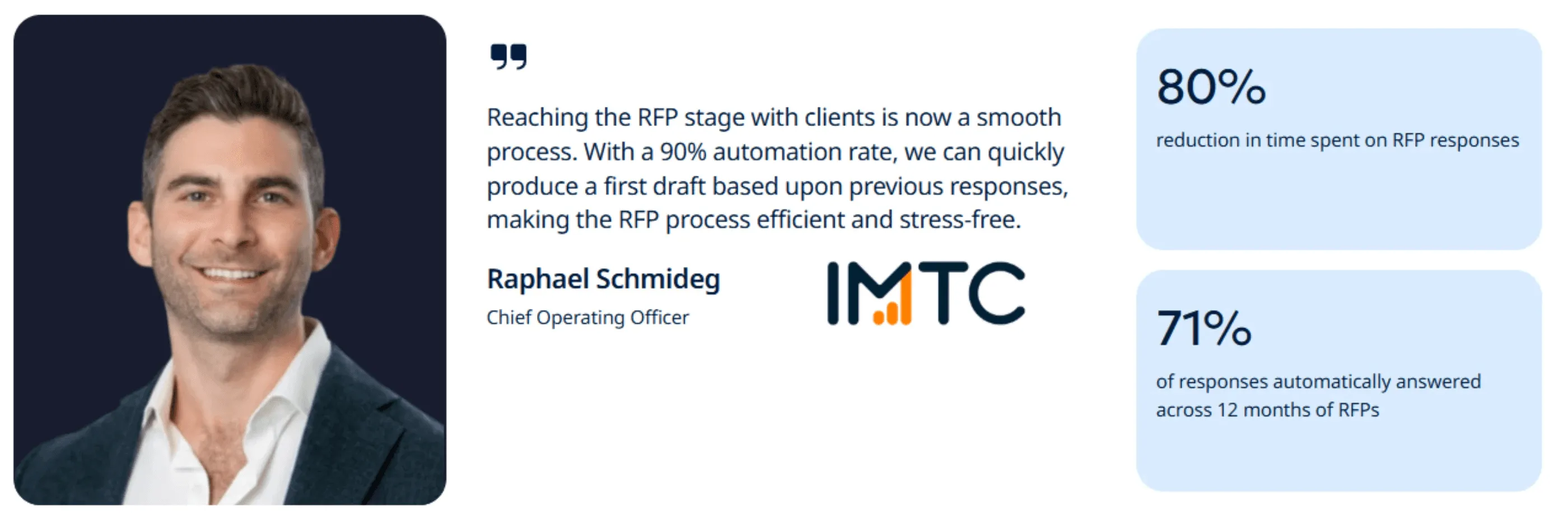
Situation: Excel questionnaires with up to 900 questions caused version chaos and placed a heavy burden on IMTC’s executives.
What mattered most: Automated importing and dependable reuse of prior answers so leaders could focus on tailoring.
Their AI RFP tool (AutoRFP.ai) populated up to 90% of the draft and cut effort by about 80%, reducing 24 to 32 hours to roughly 2 hours.
Key Factors That Influence RFP Bid Success
Here’s a closer look at the key factors that influence whether an RFP bid succeeds or falls short.
| Key factors | What it looks like in practice |
|---|---|
| Sustainable bid volume and balanced capacity | You keep bid volume aligned with FTE capacity so quality doesn’t collapse under complexity. When volume grows faster than the system can handle, win rates fall fast |
| Clear ownership and a defined bid function | You have clear accountability (not “shared across whoever is free”). High-win teams usually convert more opportunities and show a higher shortlist rate |
| Insight-first workflow | You build customer insight before or alongside drafting, so your narrative aligns with evaluator priorities (insight is the multiplier, not a “nice to have”) |
| Governance and qualification discipline | You run Go/No-Go qualification and formal governance, so you stop absorbing “must-bid” low-fit RFPs and avoid late-cycle compliance chaos |
| Proposals are commercially important (and resourced accordingly) | When bids drive a meaningful share of revenue, teams invest in the operating model (process, insights, automation, reuse) rather than treating proposals as side work |
Best Practices for Winning RFP Bids
These best practices focus on what actually moves the needle in RFP bids.
| Best practice | What high-performing teams do |
|---|---|
| Proposal team writes, SMEs validate | SMEs validate truth, but the proposal team owns the narrative. SME-led drafting can lead to low performance, so move SMEs into structured validation by default |
| Mature content operations (automation + reuse) | You run a governed content system (library + reuse), so you’re not drafting from scratch every time. |
| Automation embedded in a mature process | Automation works as an amplifier when paired with governed processes. It frees capacity for higher-value work, such as insight development and narrative shaping. |
| Use relationships to gather insight, not as a substitute | Relationships help you win access, but they don’t win formal evaluations on their own, convert access into insight, win themes, and evidence-backed claims. |
| Track shortlist rate as a diagnostic KPI | Shortlist rate is monitored as an early warning signal. Drops trigger a review of compliance gaps (missed requirements, weak evidence) and messaging alignment to confirm the bid story is landing with evaluators. |
This video explains which habits reduce shortlist rates and how high-performing teams have adjusted their RFP operating model.
Common RFP Bidding Challenges
Even experienced teams face recurring challenges that can derail RFP bids if left unaddressed. Here’s what they are:
Ambiguous requirements: Evaluators hide priorities in scoring notes; you misread intent, over-answer minor items, and miss what earns points.
Evidence shortage: Claims sound generic when you can’t pull metrics, security facts, and case studies quickly, so trust drops fast during final reviews.
Submission constraints: Portals, templates, file limits, and naming rules often trigger reformatting loops, broken links, and last-minute upload failures unexpectedly.
Version confusion: Multiple drafts across email and drives create conflicting edits, duplicated attachments, and accidental rollbacks right before submission.
Late scope shifts: Pricing, resourcing, or delivery changes arrive after drafting, forcing rewrites that break consistency and introduce errors.
Win More RFP Bids with AutoRFP.ai
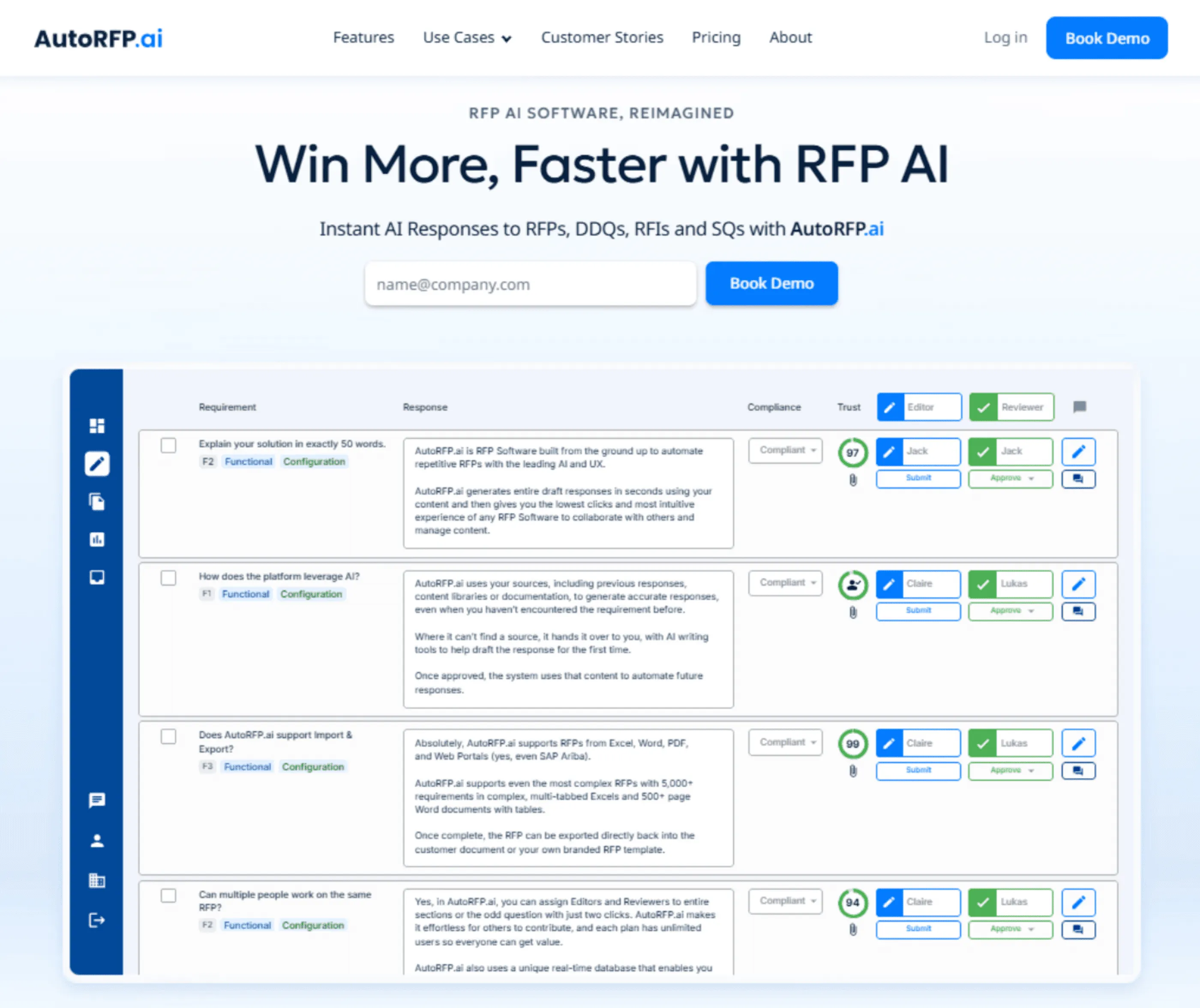
AutoRFP.ai helps you turn bidding into a repeatable engine. Upload any RFP, auto-map requirements, and run a Go/No-Go check in minutes.
Generate a strong first draft from your governed and self-updating content library, track SME ownership and blockers in one dashboard, and learn from every loss with gap analysis. More insight, less busywork, better win odds.
About the author

Co-founder & CEO
Co-founder and CEO of AutoRFP.ai. Spent 7 years in enterprise sales and personally completed 500+ RFPs before founding the company.
LinkedIn