Technical Proposal: How to Write One That Wins in 2026
A technical proposal is a formal document that outlines a solution, methodology, timeline, and cost to address a specific project or problem for a client.

Co-founder & CEO, AutoRFP.ai··10 min read
Writing a technical proposal can feel like translating complex work into something evaluators can score quickly. You need enough detail to prove capability, but not so much that the response becomes hard to read.
This article breaks down how to structure and write a winning technical proposal, with templates, examples, and best practices you can follow. We’ll also look at how AI helps speed up research, drafting, collaboration, and final reviews.
What Is a Technical Proposal?
A technical proposal is the part of an RFP response that explains how your company will meet the buyer’s requirements. It focuses on the solution, delivery approach, implementation plan, team, timeline, technical capabilities, and how you will manage risks or project requirements.
A technical proposal usually covers:
The proposed solution or approach
Project methodology and implementation steps
Technical requirements and how they will be met
Team structure, roles, and responsibilities
Timeline, milestones, and deliverables
Quality control, risk management, and support plan
Relevant experience, case studies, or proof of capability
However, RFPs are just one common situation where technical proposals appear.
For example, technical proposals can be used for:
| Situation | How the technical proposal is used |
|---|---|
| RFP response | To explain how the vendor will meet the buyer’s requirements |
| Tender submission | To prove the company has the right method, team, timeline, and resources |
| Software project | To explain architecture, integrations, security, implementation, and support |
| Engineering or construction project | To explain design approach, materials, methods, safety, and execution plan |
| Consulting proposal | To explain methodology, project phases, deliverables, and expected outcomes |
| Grant or research application | To explain the technical method, project design, or research approach |
| Internal business case | To get approval for a new system, tool, process, or technical investment |
Writing a strong technical proposal takes more than listing features or capabilities. AutoRFP.ai helps proposal teams analyze RFP requirements, draft stronger technical responses, and keep every section aligned with buyer expectations.
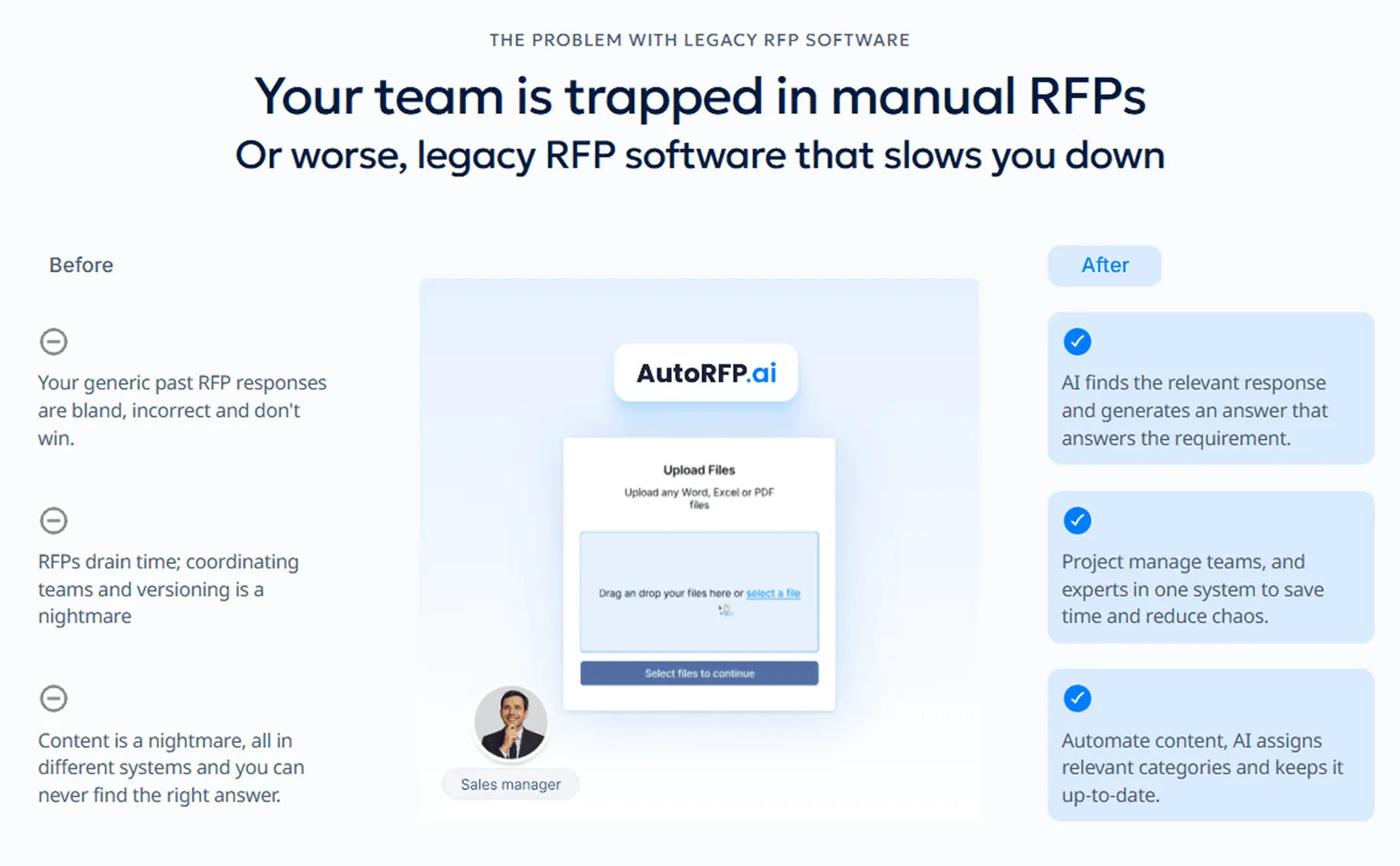
Book Demo with AutoRFP.ai to see how your team can create compliant, high-quality technical proposals faster.
When Buyers Request a Technical Proposal in an RFP
Buyers usually request a technical proposal when they need to evaluate more than price. They want to understand whether your solution, process, team, and delivery plan can meet the project requirements.
A technical proposal is commonly required when the RFP involves:
A complex product, service, or implementation
Custom software, system integration, or technical setup
Strict compliance, security, or performance requirements
Multiple project phases, timelines, or deliverables
A need to compare vendor methodology, expertise, and risk management
A formal evaluation process where technical quality is scored separately from pricing
What to Include in a Technical Proposal Response
Here’s what you need to include in a technical proposal response to show the buyer that your solution is compliant, credible, and built around their requirements.
| What to include | What it should cover |
|---|---|
| Executive summary | Summarize the buyer’s problem, your proposed technical solution, and the business value they can expect. |
| Customer insight brief | Show that you understand the buyer’s goals, risks, priorities, decision criteria, and competitive context. This matters because 88% of high-win teams have a defined customer-insight process, compared with 67% of low-win teams. |
| Clear win themes | Include 2 to 4 core messages that explain why your solution is the best fit. 71% of high-win teams use win themes, compared with 42% of low-win teams. |
| Compliance matrix | Map every requirement to the right response, owner, evidence, and document location so evaluators can clearly see that you meet the RFP requirements. |
| Technical approach and methodology | Explain how your solution, system, process, or service will meet the buyer’s requirements. Keep the focus on how your approach reduces risk and improves outcomes. |
| Scope of work and deliverables | Define what is included, what is excluded, and what the buyer will receive, such as reports, software builds, documentation, support, or implementation outputs. |
| Proof and evidence | Add metrics, case studies, certifications, technical documentation, implementation results, or examples that make your claims easier to trust. |
| SME validation | Let subject matter experts review technical accuracy, feasibility, risks, and specialist claims. This is important because 94% of high-win teams use either joint collaboration or a proposal-team-led model where SMEs validate the response. |
| Reusable approved content | Use governed content for standard answers like company background, security, policies, implementation details, and repeat technical responses. 59% of high-win teams use content library automation, compared with 36% of low-win teams. |
| Buyer-specific customization | Tailor the response around the buyer’s use case, priorities, risks, and desired outcomes. Teams that combine content automation, high reuse, and customer insight are three times less likely to sit in the lowest win-rate bands. |
| Governance and review process | Include review rounds for compliance, technical accuracy, narrative quality, pricing alignment, and final submission checks. 65% of high-win teams have formal review or governance, compared with 42% of low-win teams. |
| Implementation plan and milestones | Explain timelines, responsibilities, delivery stages, dependencies, risks, and how the buyer will be supported after award. |
How to Write a Technical Proposal Step by Step
A strong technical proposal should be structured, specific, and easy for evaluators to score. Here’s how to write one step by step.
Step 1: Qualify the Opportunity Before Writing
Before you start writing, decide whether the opportunity is worth pursuing. A Pink Team review process helps catch strategy and compliance gaps before the team invests in a full draft. A technical proposal takes time, input from different teams, and careful review, so you should not treat every RFP as an automatic yes.
Check whether the opportunity fits your solution, capacity, timeline, pricing, and delivery experience.
Review the buyer’s scope, budget, timeline, and mandatory requirements.
Identify any deal-breakers, such as unrealistic deadlines or requirements you cannot meet.
Confirm whether you have enough customer insight to write a strong response.
Decide whether the opportunity is worth the time and resources needed to respond.
Pro tip: Use a Go/No-Go decision template before drafting so your team does not waste time on low-fit opportunities that are unlikely to convert.
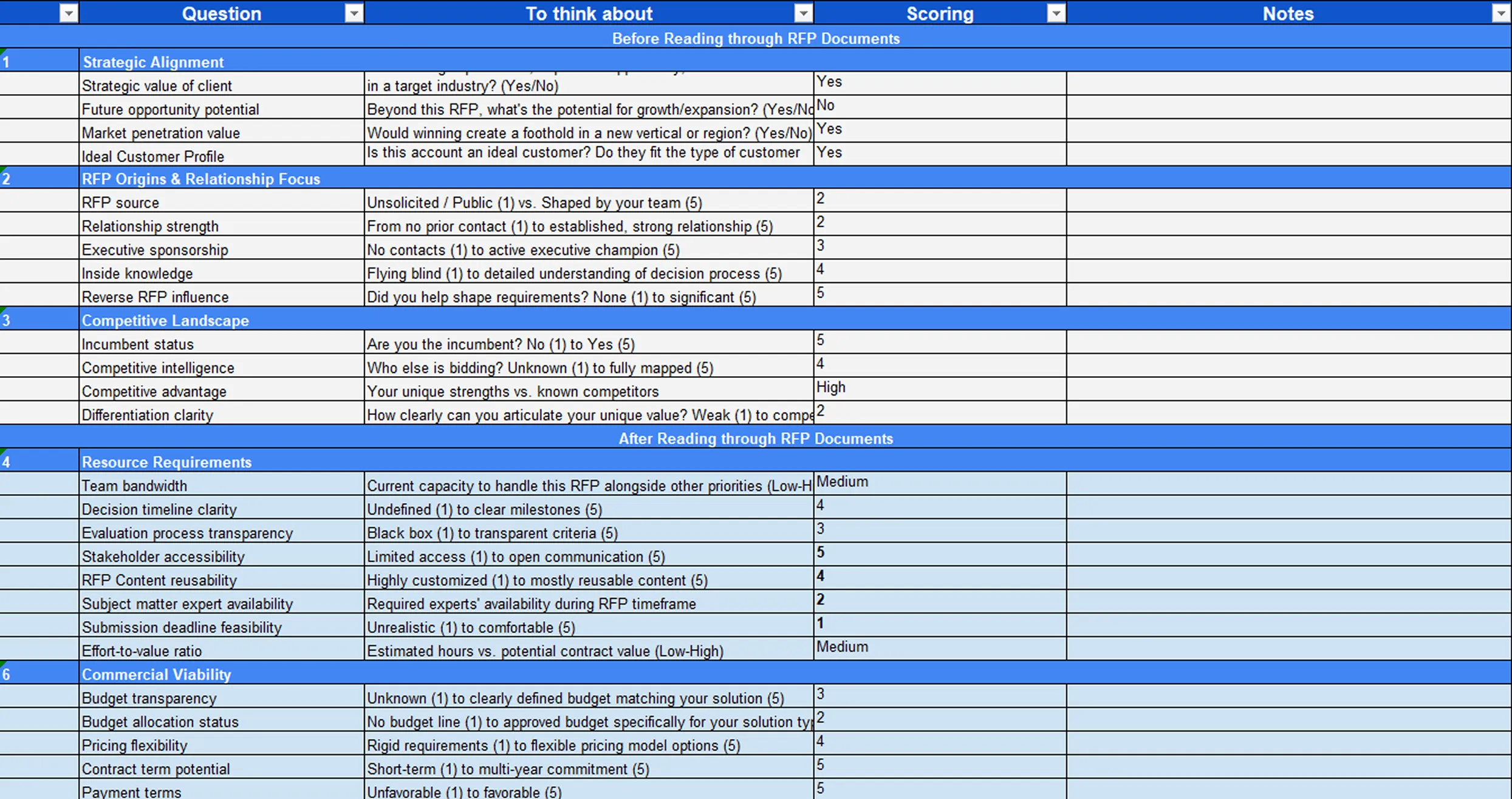
The video below explains how to turn Go/No-Go decisions into a simple expected value calculation, so your team can focus on RFPs that are truly worth pursuing.
Step 2: Assign Clear Ownership and Responsibilities
A technical proposal needs one clear owner. Without clear ownership, sections get delayed, SMEs are pulled in too late, and the final response can feel inconsistent.
Assign a proposal lead who is responsible for the full response, then give each section a clear owner and reviewer.
Assign one person to manage the full proposal timeline.
Give each section a named owner and deadline.
Define who will review technical accuracy, pricing, compliance, and final quality.
Keep one source of truth for the latest version, comments, and decisions.
Pro tip: Do not let ownership become shared and vague. One person should always know the current status of every section.
Step 3: Build a Customer Insight Brief
Do not start writing until your team understands the buyer. A customer insight brief helps you move from generic answers to a response that feels specific, relevant, and persuasive.
This brief should explain what the buyer wants, what they are worried about, and how they are likely to evaluate the response.
Capture the buyer’s goals and expected outcomes.
Identify key risks, constraints, and pain points.
Summarize stakeholder priorities, such as finance, IT, procurement, operations, or end users.
Note the buyer’s evaluation criteria and scoring priorities.
Add relevant competitor context if available.
Pro tip: Write a short “buyer reality” summary before drafting. Every section owner should use it to keep their answer focused on the buyer, not just the product.
Step 4: Create Clear Win Themes
Win themes are the main messages that explain why your solution is the right choice. They keep the technical proposal focused and prevent each section from sounding disconnected.
Good win themes should connect the buyer’s priority, your solution, and proof that you can deliver.
Create 2 to 4 win themes before drafting.
Write them in buyer language, not internal product language.
Link each theme to a buyer priority or scoring area.
Support each theme with proof, such as case studies, metrics, delivery examples, or certifications.
Make sure the same themes appear naturally across the executive summary, technical approach, implementation plan, and proof sections.
Pro tip: Use a simple structure for each win theme: “Because you need X, we will deliver Y, proven by Z.”
Step 5: Map Every Requirement Before Drafting
A technical proposal should answer every requirement clearly. Before writing, create a compliance matrix for the proposal that breaks the RFP into manageable parts.
This helps your team avoid missing pass-fail items, format rules, attachments, or small details that can affect scoring.
List every technical, commercial, legal, and submission requirement.
Add the response owner for each requirement.
Note where the answer will appear in the proposal.
Track the evidence needed for each claim.
Mark whether each item is not started, in progress, reviewed, or complete.
Pro tip: Build the compliance matrix early and review it again before submission. Many proposal mistakes happen because teams treat compliance as a final check instead of a starting point.
Step 6: Write the Core Technical Proposal Sections
Once the strategy, insight, and requirement mapping are ready, start writing the main body of the technical proposal. Each section should answer the buyer directly, explain your approach, and prove that your team can deliver.
The goal is not to add more information than necessary. The goal is to make every section clear, useful, and easy to evaluate.
Technical approach: Explain how your solution, service, system, or methodology will meet the buyer’s requirements. Start with a direct answer, then explain the process, tools, workflows, and controls behind it.
Deliverables: List exactly what the buyer will receive. This may include reports, systems, implementation outputs, training, documentation, support services, integrations, dashboards, or completed project milestones.
Schedule: Show how the work will be delivered over time. Include key phases, milestones, dependencies, review points, and handover dates so the buyer can see that your plan is realistic.
Budget: Explain the cost structure clearly if the technical proposal includes commercial details. Break down one-time costs, recurring costs, optional items, assumptions, and anything that may affect pricing.
Team qualifications: Introduce the people or roles responsible for delivery. Highlight relevant experience, certifications, technical expertise, project history, and why the team is suitable for this buyer’s needs.
Compliance: Confirm how your solution meets mandatory requirements, standards, policies, certifications, security expectations, legal terms, or industry regulations.
Risk management: Explain the risks that could affect delivery and how your team will prevent, monitor, or resolve them.
Support and governance: Describe how communication, reporting, escalation, quality control, and buyer collaboration will work during delivery.
Pro tip: Use the same answer structure across technical sections: direct answer first, method second, proof third, and buyer outcome last.
Step 7: Reuse Approved Content Where It Makes Sense
Not every part of a technical proposal needs to be written from scratch. Standard sections such as company background, security policies, implementation methodology, support models, and certifications can often be reused.
However, reused content should still be checked and tailored to the buyer’s context.
Reuse approved content for repeatable sections.
Check that all reused claims, figures, and policies are still accurate.
Tailor examples and wording to the buyer’s industry, goals, and requirements.
Avoid copying old answers that do not directly answer the current RFP.
Keep one approved content library so teams do not pull from outdated folders or past drafts.
Pro tip: Reuse what does not differentiate you, then spend more time tailoring the sections that influence scoring, such as approach, risk, implementation, and proof.
Step 8: Use SMEs for Validation, Not First-Draft Writing
Subject matter experts are important, but they should not usually own the first draft. SMEs are best used to validate accuracy, strengthen technical proof, and confirm feasibility.
The proposal team should shape the structure, narrative, and clarity, while SMEs protect the truth of the response.
Ask SMEs to review specific sections, not write from a blank page.
Give them focused questions to answer.
Ask them to validate technical claims, assumptions, timelines, and risks.
Collect proof from them, such as documentation, metrics, certifications, or delivery examples.
Keep the proposal lead responsible for final tone and consistency.
Pro tip: Do not ask SMEs to “review everything.” Give them a clear checklist so they can validate faster and with less back-and-forth.
Step 9: Add Proof to Every Major Claim
A technical proposal becomes stronger when every important claim is backed by evidence. Evaluators need to trust that your solution is not only possible, but proven.
Avoid vague statements like “we are experienced” or “our approach is reliable” unless you can support them.
Add case studies that match the buyer’s industry or use case.
Include measurable outcomes where possible.
Reference certifications, standards, accreditations, or technical documentation.
Use delivery examples to show how similar work was completed.
Add timelines, controls, or governance processes to reduce perceived risk.
Pro tip: Run a proof check before final review. Any claim that sounds impressive should have evidence behind it.
“Using evidence is one of the best ways to make your response stand out from the competition. Knowing who the evaluators are and what they care about will help you make smart decisions on what type of evidence to use - and when to use it. In short, keep all of your evidence relevant to them and what they care about.” - Christina Carter, Founder at Stargazy
Step 10: Review for Compliance, Accuracy, and Narrative
A strong proposal review should check more than grammar. It should confirm that the proposal is compliant, technically accurate, persuasive, and consistent from start to finish.
Separate the review into different passes so reviewers are not trying to check everything at once.
Check compliance against every requirement and submission rule.
Ask SMEs to confirm technical accuracy and feasibility.
Review pricing, assumptions, and commercial details for consistency.
Check that the win themes are visible across the response.
Edit for one voice, clear structure, and easy scoring.
Remove repeated, vague, or unsupported content.
Pro tip: Do one final “evaluator pass.” Read the proposal as if you are scoring it and ask whether every answer is easy to find, easy to understand, and easy to trust.
Step 11: Submit Cleanly and Capture Lessons Afterward
The final submission should be clean, complete, and aligned with the buyer’s instructions. Even a strong technical proposal can lose credibility if files are missing, formatting breaks, or the response is submitted late.
After submission, record what worked and what needs improvement so the next proposal becomes easier and stronger.
Check file names, formats, attachments, signatures, and portal instructions.
Confirm that pricing, dates, and assumptions match across all documents.
Save final approved answers for future reuse.
Track feedback, reviewer notes, common gaps, and SME delays.
Use the lessons learned to improve the next technical proposal.
Pro tip: Treat every submitted proposal as a learning asset. The best teams do not just finish a bid. They improve their process for the next one.
How AI Speeds Up Technical Proposal Writing
AI helps proposal teams move faster by:
1. Automated RFP Analysis
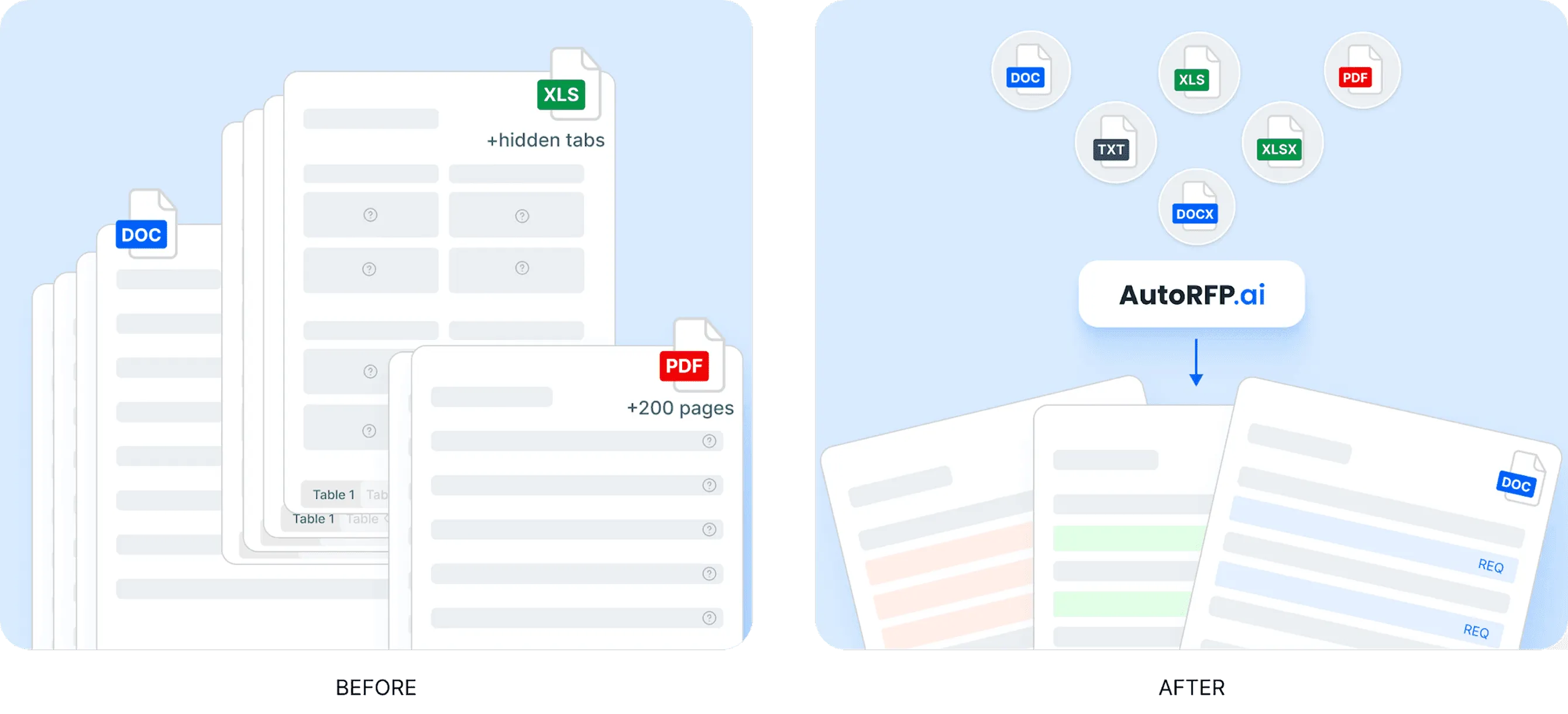
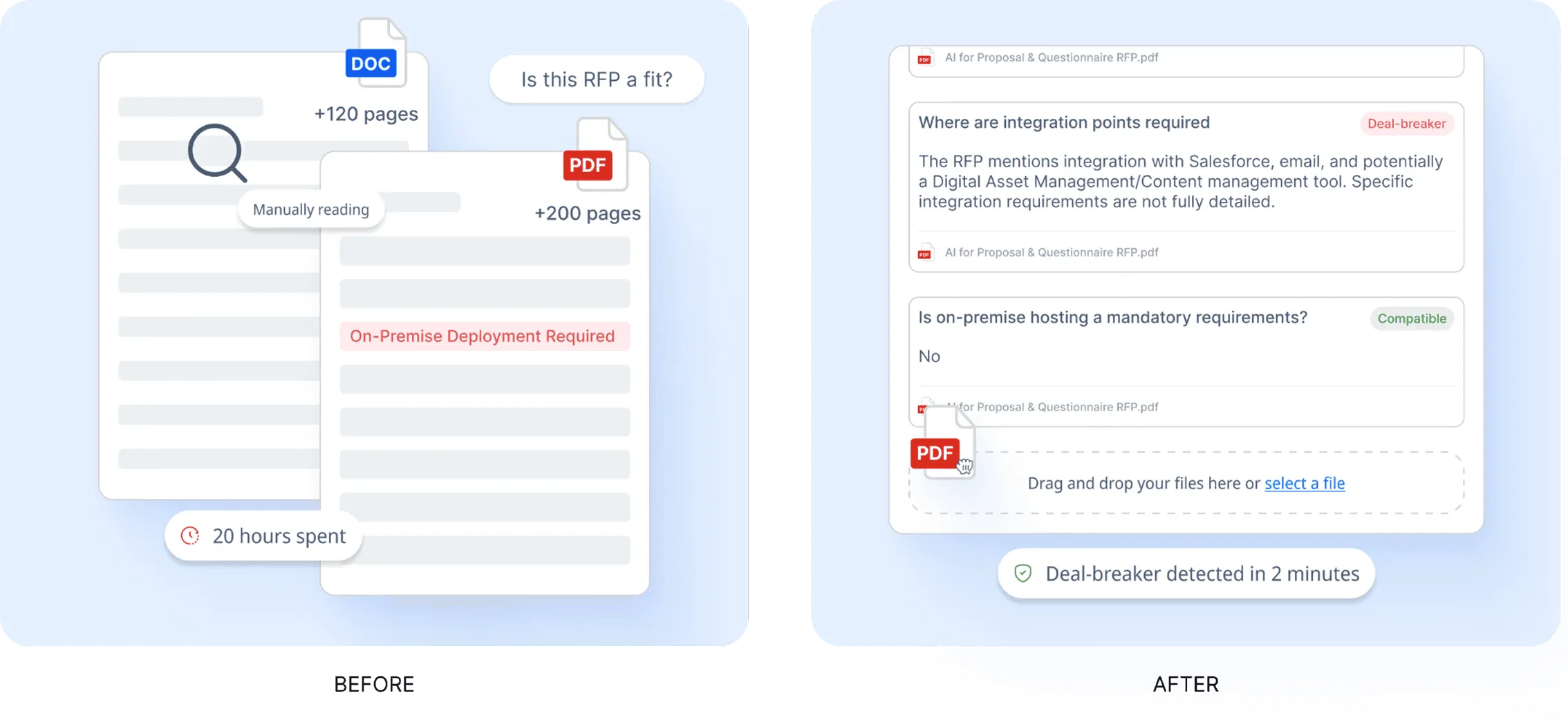
Technical proposals often begin with long RFP documents, compliance matrices, attachments, and requirement tables. AI can scan these files quickly, extract key requirements, identify deadlines, and organize the response structure before the writing starts.
| AI capability | How it helps proposal teams |
|---|---|
| Requirement extraction | Pulls out key questions, deliverables, deadlines, and submission rules from long RFP files. |
| Compliance matrix review | Reads Excel files, nested tables, macros, and structured requirement sheets without forcing teams to reformat everything manually. |
| Bid/no-bid support | Helps teams understand scope, complexity, and capability fit earlier in the process. |
For example, AutoRFP.ai can ingest Word files, PDFs, and Excel documents, including compliance matrices, macros, and nested tables. It then pulls out requirements, sections, deadlines, and supporting context, giving teams a clearer starting point for Go/No-Go decisions before they move into drafting.
2. Instant First Drafts
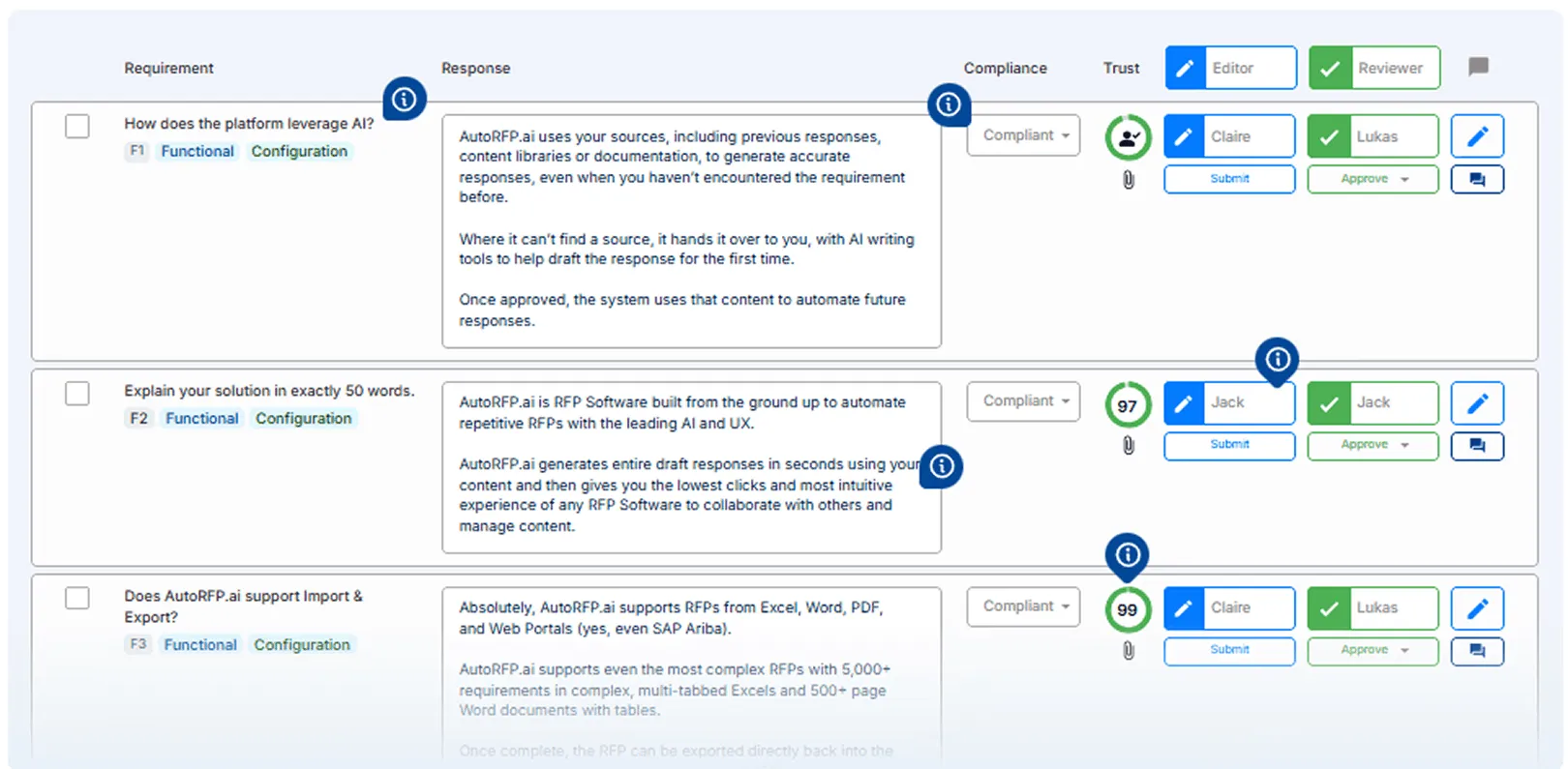
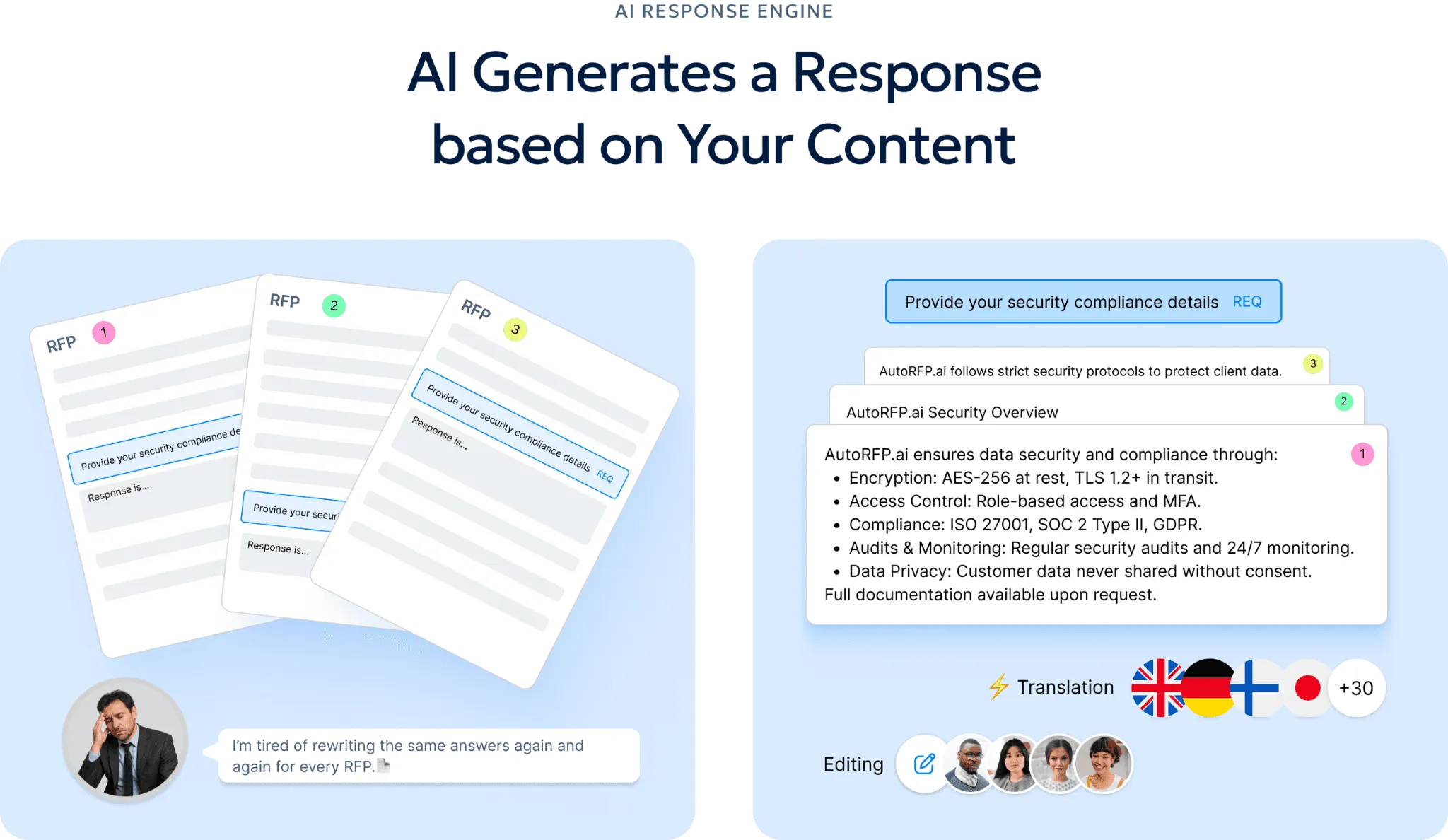
AI can generate first drafts using approved past proposals, technical documentation, and content library material. This gives proposal teams a stronger starting point and reduces the pressure on SMEs to write from scratch.
AutoRFP.ai creates full first drafts in seconds by pulling from trusted source material first. The responses are written using the company’s terminology, tone, and approved content, which helps make drafts more consistent and easier to review.
3. Agentic Editing And Rewriting
AI can also help improve draft quality after the first version is created. If a response is too long, vague, or generic, teams can use an AI project agent to rewrite it directly inside the workflow.
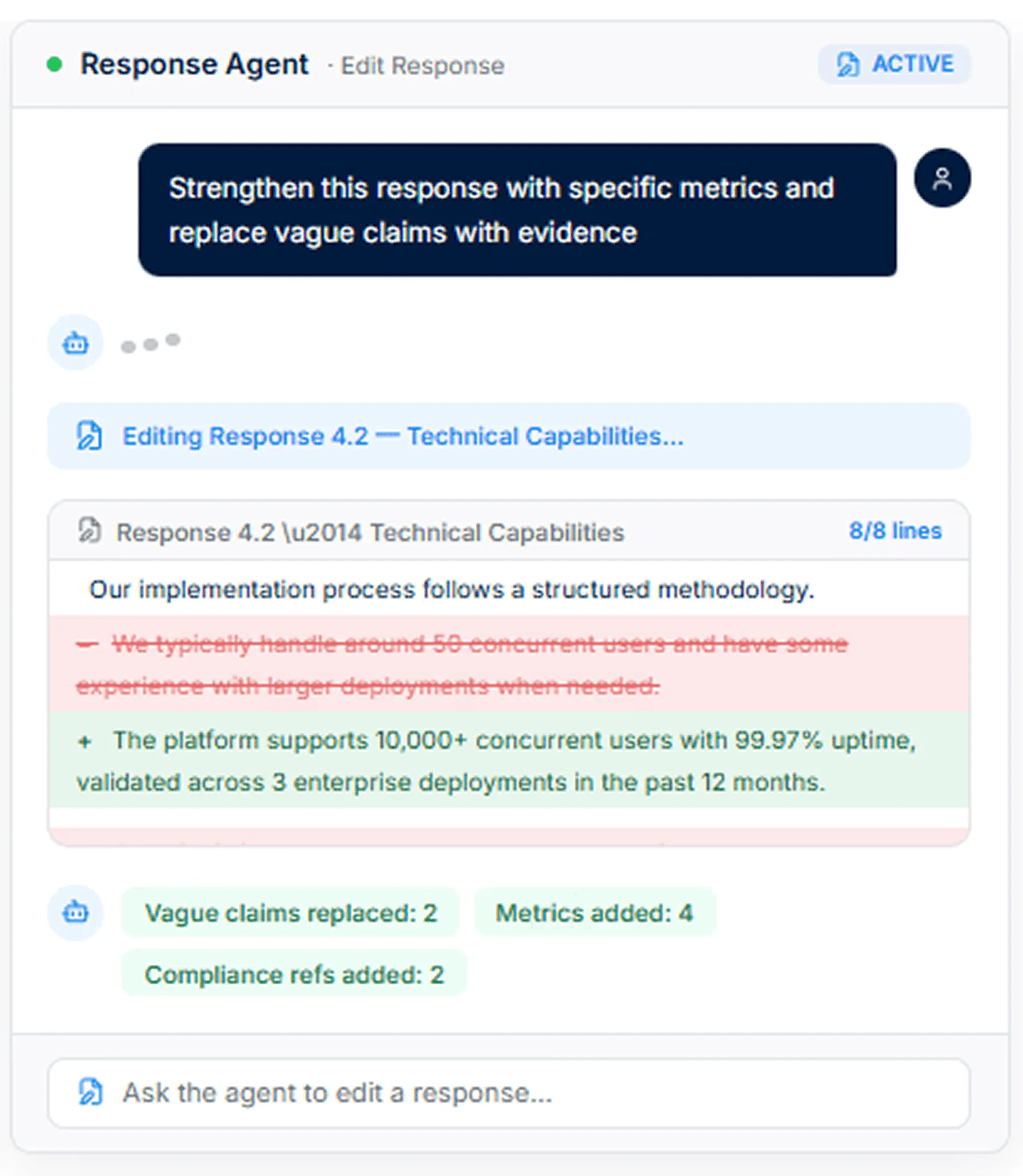
For example, teams can ask AI to:
Tighten a response to meet a word count
Replace vague claims with clearer technical metrics
Make the tone more formal, concise, or buyer-focused
Rewrite a section so it answers the requirement more directly
Improve clarity without changing the technical meaning
4. Live Web Search And Sourcing
Some AI proposal tools can search the open web for current industry figures, regulatory updates, or compliance references without forcing users to leave the editor. This is useful when a technical proposal needs updated market data, security standards, or recent regulatory context.
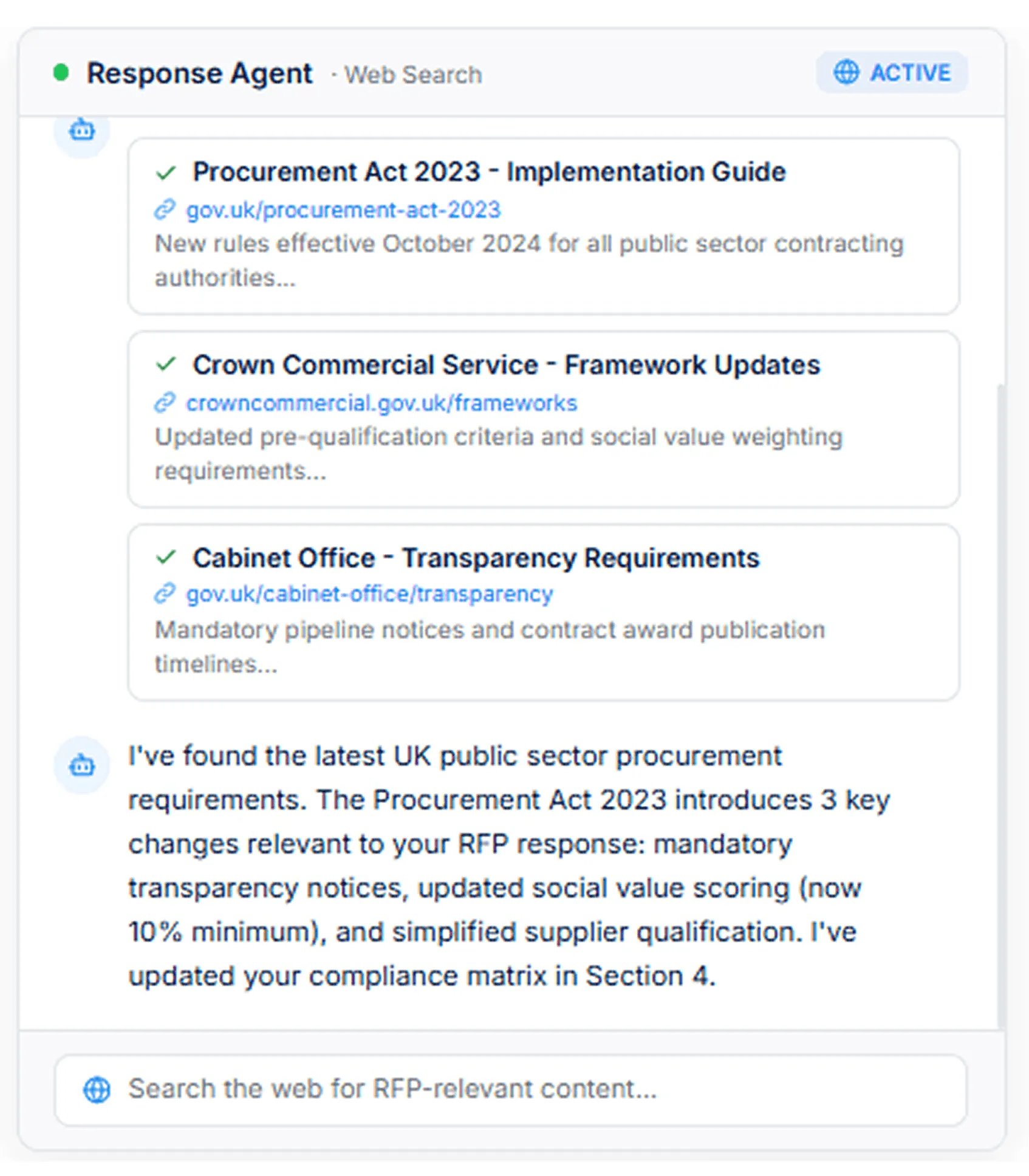
| Use case | Example |
|---|---|
| Industry data | Finding updated figures to support a business case or solution claim. |
| Regulatory context | Checking current compliance rules before finalizing a response. |
| Technical sourcing | Finding supporting references for standards, frameworks, or market requirements. |
5. Smarter Content Reuse
AI helps teams reuse approved content more accurately without relying on a manually maintained content library. Instead of copying old answers blindly, AI can learn from approved responses and suggest content that fits the current RFP.
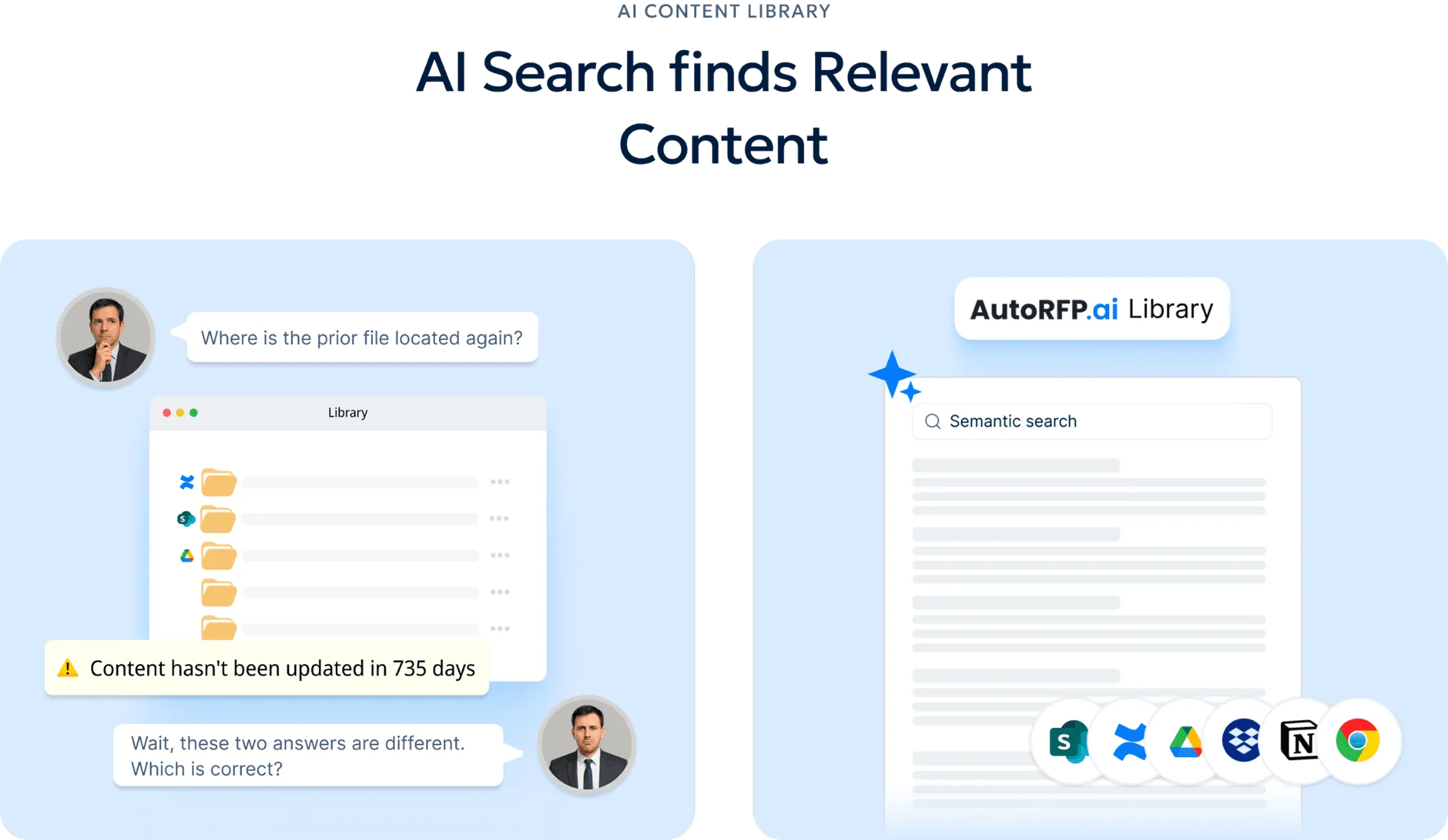
This helps teams:
Reuse approved answers faster
Reduce duplicate writing
Keep messaging consistent
Adapt content as the business changes
Spend more time customizing high-value sections
6. AI Q&A For Trusted Answers
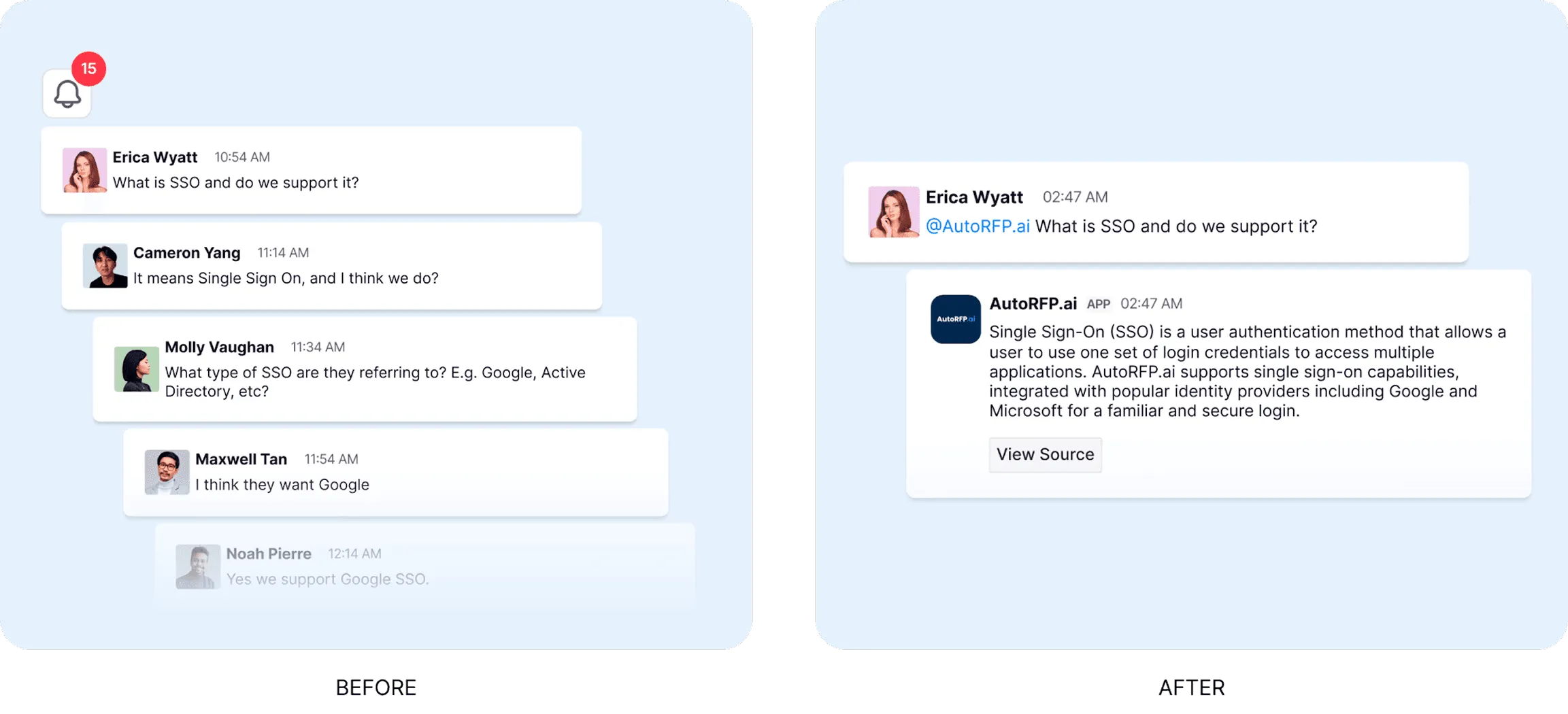
AI Q&A features in some AI RFP tools help proposal teams find approved information quickly. In many organizations, teams still waste time searching folders, old responses, chat threads, or documents just to confirm one answer.
AutoRFP.ai solves this with a sourced AI bot that gives fast answers from approved company content. Teams can ask questions like “What is our GDPR approach?” and get a grounded answer in seconds. It also works inside Slack and Teams, so users can ask from the tools they already use instead of leaving the conversation to search manually.
7. Live RFP Data Inside AI Assistants
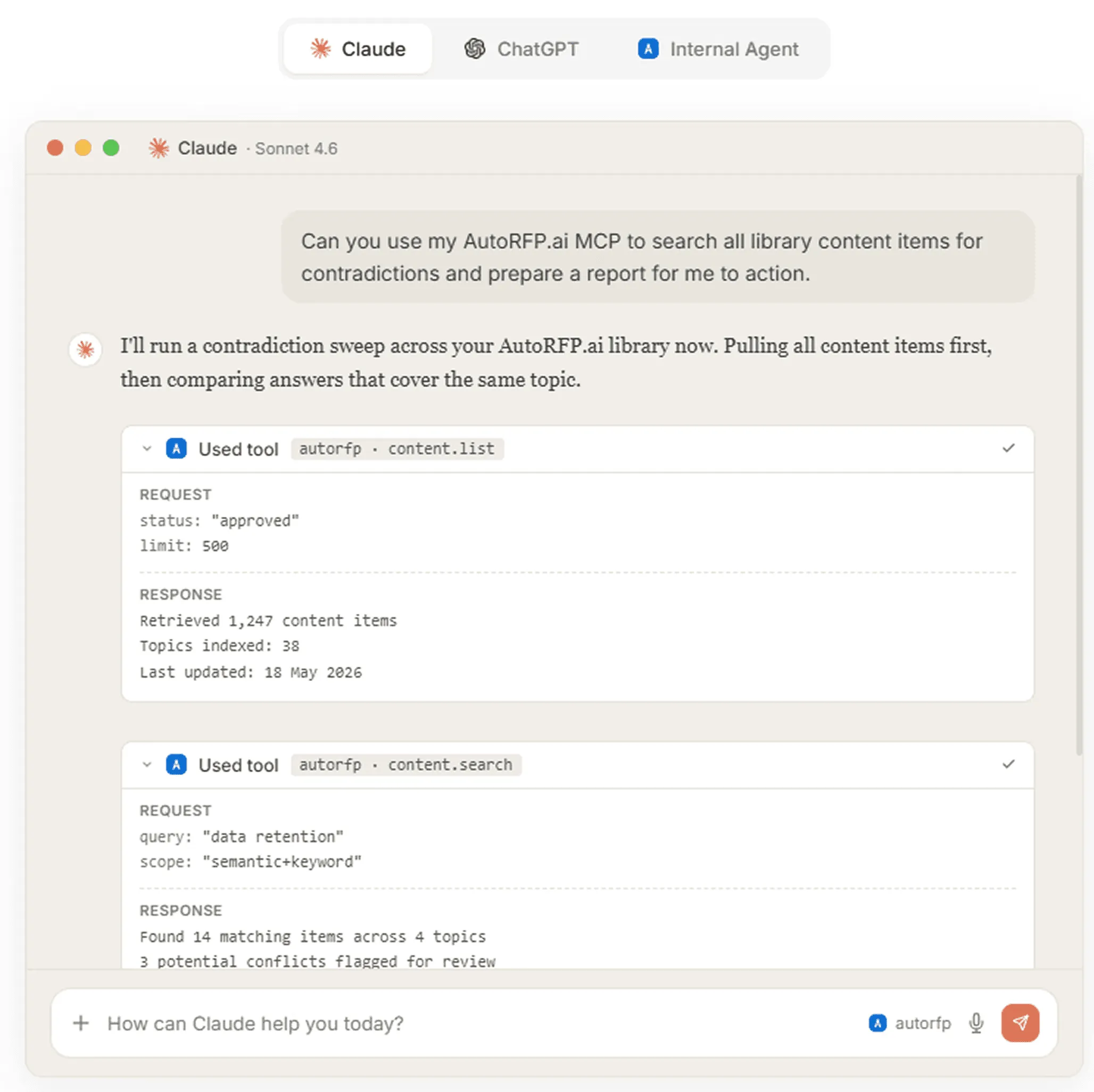
Not every proposal tool offers this, but AutoRFP.ai’s MCP server connects live RFP data directly into Claude, ChatGPT, Microsoft Copilot, and other MCP-compatible assistants. This lets teams use the chat tools they already know while still working from approved proposal content and live project data.
| What teams can ask | Why it helps |
|---|---|
| “What is due for Globex next week?” | Helps teams track deadlines and project priorities. |
| “What have we said about GDPR?” | Pulls approved answers instead of relying on memory or guesswork. |
| “Find contradictions across approved answers.” | Flags mismatched claims before they reach the buyer. |
| “Pull best-fit content for this requirement.” | Helps teams draft faster with live, source-backed context. |
The connector supports semantic and keyword search, follows each user’s AutoRFP.ai role-based permissions, and uses read-only scopes so assistants cannot edit, overwrite, or delete content.
8. Compliance Checking And Formatting
AI can review proposal drafts against RFP requirements and flag missing answers, weak sections, formatting issues, or possible compliance gaps. This helps teams catch problems before the final submission.
A strong AI review can check for:
Missing requirements
Incomplete answers
Inconsistent terminology
Formatting issues
Unsupported claims
Conflicting technical details
Sections that do not match the buyer’s instructions
What You Get From AI Proposal Writing
AI does not replace proposal strategy, SME judgment, or final review. But it can remove a lot of manual work from the process, helping teams move faster while keeping quality more consistent.
| Outcome | What it means |
|---|---|
| Faster turnaround | Teams can complete first drafts in days instead of weeks. |
| SME time savings | SMEs can review and refine AI-generated drafts instead of writing every response from scratch. |
| More consistent quality | Approved messaging, terminology, and technical language can be applied across the proposal. |
| Higher proposal volume | Teams can respond to more qualified RFPs without adding the same level of manual workload. |
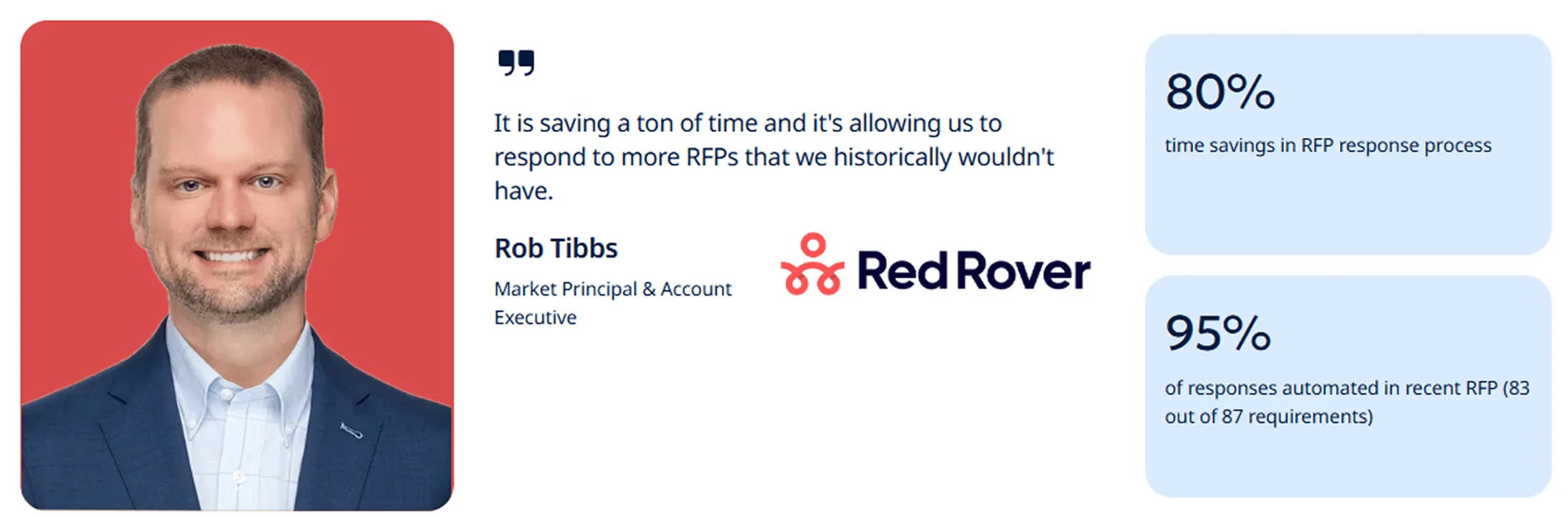
For example, AutoRFP.ai client Red Rover automated 95% of responses in a recent RFP, covering 83 out of 87 requirements, and achieved 80% time savings in the RFP response process.
These AI capabilities are useful on their own, but the real impact comes from using the right software. The video below walks through some of the best AI RFP tools to consider in 2026.


Video transcript
Today we're diving into the best AI RFP software that are in the market for 2026. We're gonna be going into the AI agents, the AI workflows, and the AI RFP response process that powers all of these AI RFP software companies. And you're gonna get, at the end of this video, An overview of the best AI native RFP software. Let's jump into it. So first of all, this is a continuation of one of my last videos, which was to do with the best RFP software. So if you wanna have an overall look of RFP software across legacy RFP and AI native RFP, you can have a look at that video which you'll see at the end of the video as well. Link to it below. So what I've analyzed to generate this list of best RFP software is I've looked at the public G2 reviews, the Gartner reviews, and our own industry knowledge, having being an AI-native RFP software ourselves.
So first of all, before jumping into the first one, let's think about the RFP software market as a whole. Effectively, if you're looking for RFP response software, you've got three options. You've got your legacy RFP software. They're like your Loopio, your Responsive, Qvidians. They've been built before AI, and they're effectively a question-and-answer machine. You have your past answers. You get requirements, you upload, and it'll keyword match to find the appropriate answer for those new questions and copy and paste it across. Recently, they've added some more AI features, but they're what we call legacy RFP software, mostly because they've been around for quite a long time and they're not built with a kind of AI architecture to begin with. Then you've got your own AI DIY builds that you can do. Using Claude or ChatGPT or Copilot to effectively help you answer RFPs. And that can be really useful to an extent. And then you'll start to run into issues, especially if you're collaborating across multiple team members, if you're trying to prevent hallucinations and you
wanna get more towards winning responses rather than generic AI responses. You also have your kind of own DIY builds, like doing your own AI agents internally. Then you've got the AI RFP software. These AI native players have been built with AI in mind from day zero, meaning that they're architected for AI and one of the market leaders is AutoRFP.ai.ai, which is where I'm from Okay, there's also the proposal win rate report for 2026. In this report, us and a bid manager community called Stargazy surveyed over a hundred bid managers to find what are those bid teams doing that win the most RFPs, specifically around their tooling, their process, and their systems. What we found, and you can download this report from our website and the link in the description below, is that teams with high content automation and strong processes around customer insights and bringing together all the different data points available to them in RFPs really led to higher win rates.
There's an entire chapter here all around the high-win and low-win cohorts and what matters the most, And there's a whole chapter here on writing winning responses and how teams can get into content automation and do more to win RFPs. So you download that report below. First, let's talk about the best way to evaluate AI RFP software. When looking at AI RFP software, you really wanna make sure you get your hands on the tools. Some of the options I show you today will have access to a free trial directly on their website. Other vendors, you can ask for a proof of concept, like AutoRFP.ai. And with that, effectively, you get access to seeing how the AI will work with your actual RFPs using your actual data. Why that's useful, especially when evaluating AI RFP software side by side, is it lets you see effectively is there proof in the pudding? Does the AI RFP software live up to its claims?
Can it automate RFP response based off my prior content? And does it actually save our team time? let's jump into our first one for the best AI RFP software, and that is AutoRFP.ai.ai. AutoRFP.ai.ai is an AI-native RFP software. It actually launched a few weeks before ChatGPT came out, it's been around for four years, It has customers in over forty-plus countries. Predominantly, it's focusing on technology, so software and hardware and technology services companies, financial services companies, so for instance, asset managers doing DDQs and so on, and healthcare companies like pharmacy benefits managers across the world. And it's used by hundreds customers across the globe to help respond to RFPs. So looking into the platform, you can find out more about their customers and how they use AutoRFP.ai from their website from our website. Our pricing is very transparent.
You can find out on our website. So for instance, the starting price, as well as how to learn more information, so you can get in touch with our team, book an online demonstration where AutoRFP.ai.ai is different and what really sets it apart to be the market leader in the AI RFP software proposal space is really around how it's utilizing agentic features and agents to automate more of the RFP process to help bid managers and proposal writers write winning responses. It's really a lot more about winning RFPs . So if I go to create a project, for instance, you can upload an RFP, Word, Excel, PDF. First what you see here is an AI go, no-go. Before a team will even decide to bid on an RFP, they can make a decision based on AI and their own comprehension of the RFP, Whether it's appropriate to go for, are we a good fit for this RFP? And then the AI will answer each of those different requirements, provide sources and transparency for understanding where that kind of information came from those
RFP documents, and that can help me make a decision whether I want to proceed with this RFP or not Then you've got the AI document importer that will automatically using AI computer vision, scan the document and bring in the necessary response requirement, drop-down cells, and everything like that, include requirement tables, everything that you need to fill out to respond to that RFP then the RFP comes in, and here's the real magic. The AI will search my relevant content in my library, which includes integrations with fifteen plus systems, includes web access. And from that content, it'll use a transparent process to source the correct content through semantic search, through re-ranker models and embedding models, to then bring out the most trustworthy response. Then it'll find the most trustworthy content, and then using AI, generate an appropriate response or take verbatim from my prior answers if required. And as the responses come through, we're greeted with two scores. First, we have our feedback score.
This helps you write better winning responses. It looks at the requirement, it looks at my response, and gives me any feedback to make that response even better, whether it's human written or AI generated. Then you've got the trust score. The trust score transparently displays what information and why that information was used to generate this response. Clicking into here, I can see my exact content that was used to generate the response and why the content was used to generate the response. Then I've got the AI project agent, which you can prompt in natural language, and effectively, you're using this AI across your own content with web search. It can create documents like executive summaries for you. In this example, it's gonna edit these three responses that I've selected following my prompts instructions. While that's happening, I can then look through and make comments. I can select those requirements, and then assign them to my different team members or teams that are working on that RFP As I'm managing this RFP submission, I can quickly go through and see
who has responses left to respond to or what subject matter experts need to approve responses and see how that's going over time. So that's AutoRFP.ai.ai, an AI RFP software. Then you've got Arphie. So Arphie or Arphie.ai is another AI RFP software that has been around for quite a few years. It is predominantly used similar to the others, where you have a content library or knowledge space that has relevant context in terms of your past RFPs. And then it brings all that in to help generate and respond to new RFPs. You can have a look at that website. You can see that the AI is used to manually generate responses. Their integrations and more about their system on their websites. I would say Arphie is generally pretty useful for, mid-market technology companies as well as some large enterprises. Usually would have a strong pre-sales team, sales engineers, solution architects. May not necessarily have a purpose-built bid function and it's useful for
responding to RFPs en masse and so on. They don't appear to have their pricing on their websites. So best bet to get is to get in touch with their team by going to their contact page and yeah, you can get in touch with their team and to understand a bit more about Arphie. Next up is AutoGen. So AutoGen is a little bit different to the others where it's more of what we would call a narrative or long-form RFP software. What that means is AutoRFP.ai, Arphie, what we've discussed so far are used when you wanna upload a bunch of requirements let's say in Excel, Word doc, PDF, and thousand, five hundred, ten thousand responses and generate answers for those. AutoGen may be more useful for architecture, engineering, construction companies and for that it's usually less requirements but usually longer form responses, usually in a Word document. You can find out more about visiting their website Then you've got 1up. 1up has access to a free trial.
Their pricing is transparent, generally useful for teams who are doing a lot of security questionnaires. I would say 1up is actually one of the cheaper systems on the market. Really useful if you're doing like a small number or medium number of RFPs or security questions every year and wanna get started with some basic automation. It's really useful for that, and you can kinda find out more about their website as well there. Then you've got Tribble. Tribble's a little bit different. It's predominantly an extension into Google Sheets or Google Docs like running as a Chrome extension. They do have a platform you can log into and you can find out more about them on their website. It has the proposal automation, so generating responses sales. They're doing more features, around kinda the full cycle of sales. Like you can see there, it has deal prep or follow-up follow-up and they do have transparent pricing. So you can see there it starts at 30 grand USD a year. It starts from 50 per annual projects. So there's a quick overview of each of the AI RFP software. Awesome. You can learn more about AutoRFP.ai at our website, or you can contact each
of the providers we've been through today by going directly to their website and getting in touch with their team. Hope that was helpful thanks
Technical Proposal Template and Examples
Templates and examples make technical proposal writing easier because they show what the final response should actually look like. Use the templates below as fill-in structures, then review the examples to see how a completed technical proposal section can read.
Template 1: Full Technical Proposal Template
Template 2: Short Technical Proposal Template
Example 1: Software Implementation Technical Proposal Example
Example 2: Cybersecurity Assessment Technical Proposal Example
Turn Your Next Technical Proposal Into a Win with AutoRFP.ai
A strong technical proposal needs more than a good solution. It needs clear RFP analysis, compliant answers, strong proof, SME input, and buyer-specific messaging.
AutoRFP.ai helps proposal teams manage that entire process faster, from shredding requirements and drafting first responses to reusing approved content, checking compliance, and keeping teams aligned. Instead of starting from scratch, your team can build sharper, more consistent technical proposals with less manual work.
Book Demo with AutoRFP.ai to see how your team can create faster, stronger, and more compliant technical proposals.
About the author

Co-founder & CEO
Co-founder and CEO of AutoRFP.ai. Spent 7 years in enterprise sales and personally completed 500+ RFPs before founding the company.
LinkedInFrequently asked questions
How Detailed Should A Technical Proposal Be?
A technical proposal should be detailed enough to prove that your team understands the buyer’s requirements and can deliver the solution. It should explain the approach, scope, deliverables, timeline, technical methods, team responsibilities, risks, and compliance points without adding unnecessary information that makes the proposal harder to evaluate.
Who Should Review A Technical Proposal Before Submission?
A technical proposal should be reviewed by the proposal manager, solution engineer, technical SMEs, finance team, legal team, and final approver. Each reviewer should focus on a specific area, such as accuracy, pricing, compliance, risk, delivery feasibility, and whether the proposal clearly answers the buyer’s requirements.
What Makes A Technical Proposal More Persuasive?
A persuasive technical proposal does more than describe features. It connects the solution to the buyer’s goals, explains why the approach is practical, includes proof points, addresses risks, and shows how the team will deliver the work successfully. Strong proposals are specific, evidence-based, and easy for evaluators to score.
How Can AutoRFP.ai Help Draft Technical Proposal Responses?
AutoRFP.ai can generate first-draft responses using approved company content, past winning answers, and relevant project documents. This helps proposal teams avoid rewriting the same technical answers from scratch while still giving reviewers a draft they can refine for accuracy, context, and buyer-specific requirements.
Can AutoRFP.ai Help Add Supporting Technical Documents To A Proposal?
Yes. AutoRFP.ai’s content library can store and surface supporting materials such as case studies, technical documents, flowcharts, product information, and security content. This helps teams attach the right evidence to technical proposal responses instead of searching through scattered folders or relying only on memory.
